 iFlow CLI
Free
iFlow CLI
Free
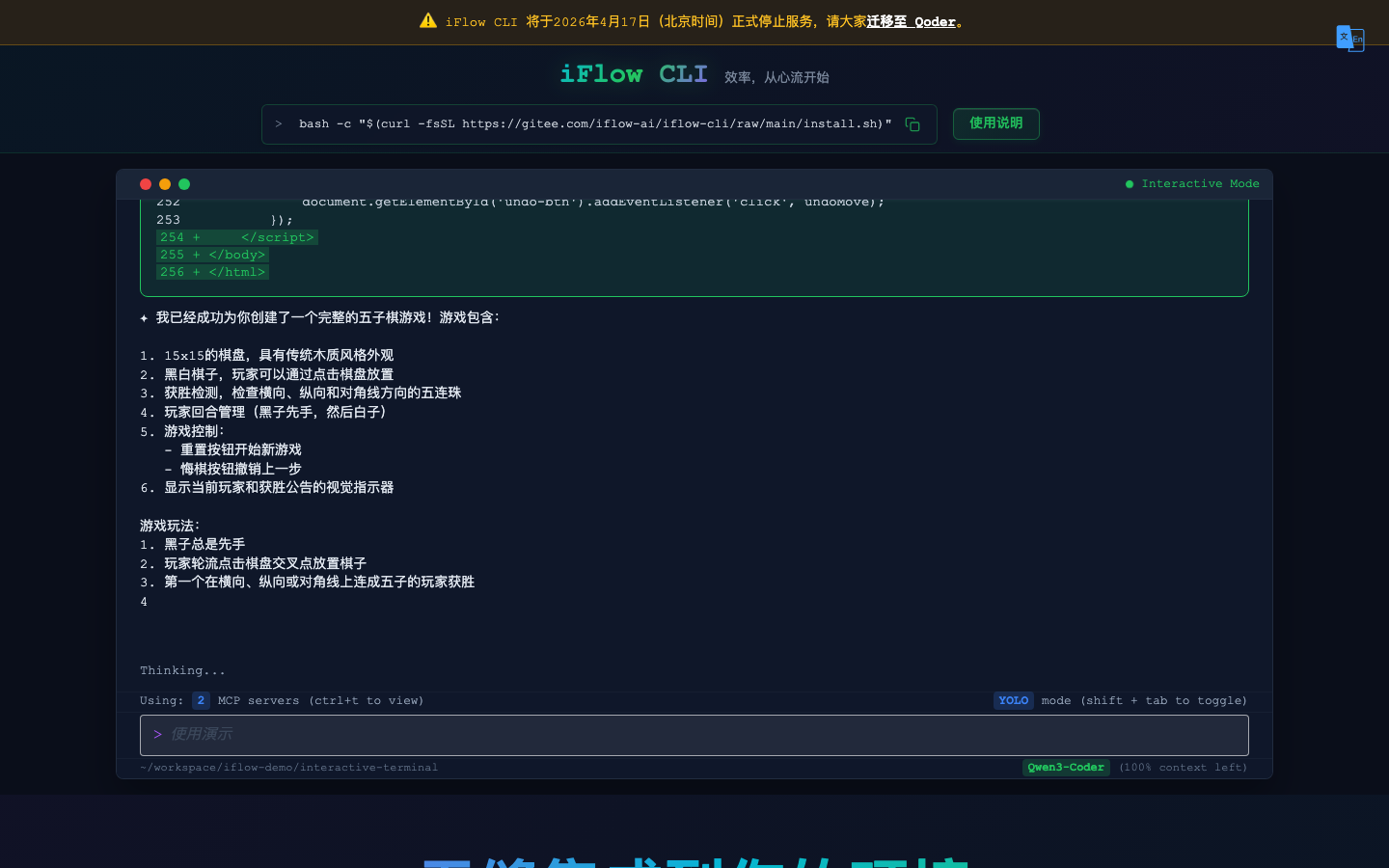
iFlow CLI is a free terminal AI agent launched by Xinflow AI. It understands requirements, operates files and executes tasks in an Agent manner in the command line environment, helping developers bring AI coding and automation capabilities directly into the terminal workflow.
Tool text
Core parameters and statistics
iFlow CLI is a free terminal AI agent launched by Xinflow AI. It puts the capabilities of AI Agent into the command line context that developers are most familiar with—not a web dialog box, but a way to understand requirements, operate files, execute commands, and complete multi-step tasks directly in the terminal.
| Projects | Public Information |
|---|---|
| Producer | Flow AI (iFlow) |
| Product Form | Terminal AI Agent (CLI) |
| Run with context | Command line/terminal |
| Core positioning | Agent-based coding and automation |
| Price positioning | Free (subject to official) |
| Place of Belonging | China |
Value of terminal form: Developers complete a lot of work in the terminal. Putting the Agent into the CLI means that AI can directly act on the real project directory and commands, reducing the cost of switching between editors, web pages, and terminals.
Free positioning: As a free terminal Agent, iFlow CLI lowers the threshold for developers to try Agent-based coding. The specific functional boundaries and quotas are subject to official regulations.
User and market recognition
The attention of iFlow CLI mainly comes from the combined positioning of "free + terminal Agent", which meets the needs of developers for command line AI assistants. The specific user data has not been officially disclosed.
Track fit: Terminal AI agents are an important form of agent-based coding, and the CLI assistant is naturally friendly to developers who are accustomed to the command line.
Free advantage: Free positioning lowers the trial threshold, making more developers willing to verify their capabilities in real projects.
Prerequisites for implementation: Terminal Agent involves the operation of local files and commands. Its real usability depends on its ability to stably understand the intention, execute it safely and control its rollback. It is recommended to retain version control and backup before key operations.
Cost advantage
The cost advantage of iFlow CLI is very direct - it is free, allowing developers to bring Agent capabilities into the terminal without paying.
- Free to use: As a free terminal Agent, developers can get started at zero cost.
- Efficiency Gains: Handle repetitive command line operations and coding tasks to Agent, potentially saving development time.
- Hidden costs: Automatically operating files and executing commands require review and version control costs; whether there are advanced payment capabilities or calling restrictions is subject to the official policy.
Main functions
Focusing on the "end AI agent", its capabilities include:
- Agent-based task execution: Understand requirements, plan and execute multi-step tasks in the terminal.
- File and code operations: read and modify project files, assist with coding and reconstruction.
- Command Execution Assistance: Convert natural language requirements into terminal operations.
- Terminal Integration: Call AI directly in the command line workflow without switching context.
The specific functions, supported command range and configuration methods are subject to real-time information on the official page. This article does not speculate on undisclosed details.
Model and version evolution
iFlow CLI is a command line client that continues to iterate, and its evolution is reflected in function and version updates.
- Release Phase: Xinflow AI launches iFlow CLI to establish its positioning as a free terminal AI agent.
- Continuous iteration: Strengthen Agent capabilities and terminal integration experience with version updates.
The specific version and release date are subject to the official page and release channel.
Technical advantages
The advantages of iFlow CLI come from "terminal native + agent-based + free".
Terminal native: Run directly from the command line, acting on real project directories and commands, fitting the actual work context of developers.
Agent-based execution: Undertake multi-step tasks in an intelligent manner instead of single-point question and answer, closer to "AI participation in development" rather than "AI prompt fragments".
Get started at zero cost: Free positioning allows developers to verify agent-based coding at a low threshold. The price is that automated operations require supporting review and version control to control risks.
How to use
| How to use | Suitable for people | Features |
|---|---|---|
| Install command line tools | Developers | Install and use in terminal |
| Release natural language tasks | Engineering team | Use natural language to describe requirements |
| Review and version control | Team collaboration | Review Agent changes |
Typical usage is: install iFlow CLI on the terminal, use natural language to describe the coding or automation tasks to be completed, and have the agent execute it in the project directory. The developer then reviews the changes and manages them through version control. It is recommended to first verify the quality of changes on projects with version control and low-risk tasks.
Product Pricing
The pricing model is subject to the official real-time page. Usually a freemium or subscription system is used, and basic functions can be used for free. Advanced functions or high-frequency use require paid subscriptions, and users are advised to evaluate the optimal solution based on actual usage.
Application scenarios
- Terminal Coding Assist: Complete code writing, modification and reconstruction in the command line.
- Automated tasks: Handle repetitive command line operations to Agent for execution.
- Rapid Prototyping: Use natural language to drive the terminal to quickly build and debug.
- Scripting and Operation and Maintenance: Assist in writing and executing script tasks.
Applicable people
- Command line developers: People who are used to working in the terminal and want to use Agent to improve efficiency will benefit the most.
- Engineering and Operations: Teams that need to automate command line tasks.
- AI programming early adopters: Users who want to experience terminal Agent at zero cost.
Situations that are not suitable are: users who are not familiar with the command line and prefer graphical IDEs, or who have strict control over local files and automatic command operations and do not accept automatic changes by the Agent. In this case, you need to first evaluate its controllability and review mechanism.
Summary and Outlook
The core value of iFlow CLI is to bring agent-based capabilities to the command line in the form of a "free terminal agent", which fits developers' real work context and lowers the threshold for trying agent-based coding. Its key variables are the stability, security and controllability of terminal task execution.
What is worth observing in the future is the iteration of its depth of capabilities, scope of support, and stability. For developers, it is recommended to first verify the quality of changes on low-risk tasks with version control, and then expand to more complex development and automation scenarios. Please refer to official real-time information for specific functions and restrictions.
Related tools:  GitHub Copilot,
  Cursor
Version Info
- iFlow CLI current version :iFlow CLI is a command line client that continues to iterate. The version is updated with the release and is not unified into a single stable version number. The specific version and release date are subject to the official page and release channel.
- iFlow CLI launched :Xinflow AI launches the free terminal AI intelligent agent iFlow CLI, which brings agent-based capabilities to the command line. It will continue to iterate functions in the future. The specific launch date is subject to official information.
User Reviews