 Inline Help
Free
Inline Help
Free
Inline Help is a code-free AI inline help platform built by the Inline Manual team. It provides functions such as Explain This, AI Tooltips, Chatbot, knowledge base, and work order forms, helping companies intercept and answer user questions directly within the application and reduce the amount of manual work orders. Supports OpenAI GPT-4 and has served 500+ companies around the world.
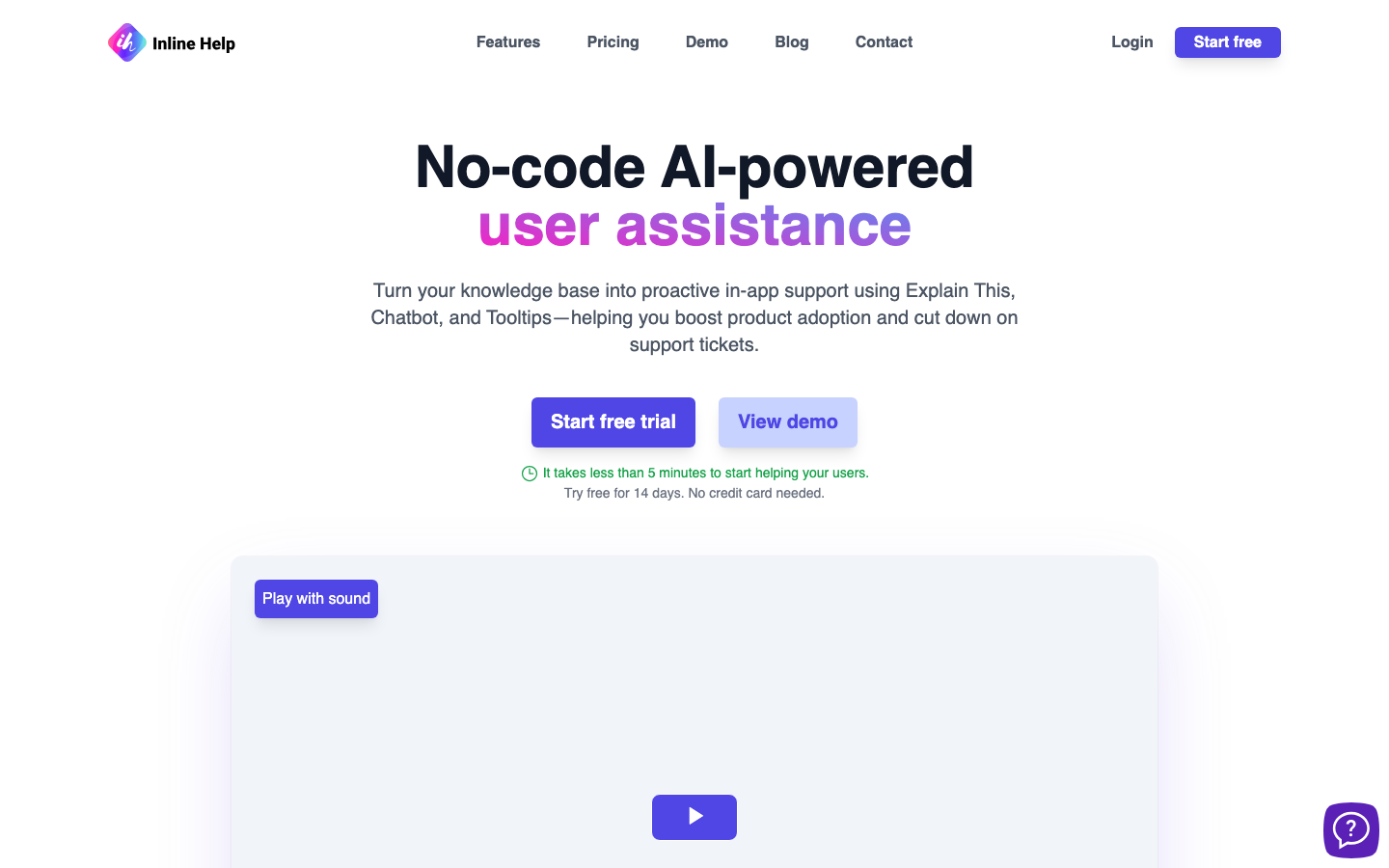
Inline Help: AI-powered inline help and digital adoption platform
Core parameters and statistics
Inline Help is an AI inline help platform positioned in Productivity/Business Application (Type D), developed by the British company Inline Manual, Ltd. (founded in 2012). It is not a traditional help desk software, but an "AI-first in-app user guidance and autonomous help system" - users can get contextual and instant answers without leaving the current page, and product teams can embed an intelligent guidance layer within the application without writing code.
| Projects | Public Information |
|---|---|
| Product Positioning | No-Code AI Inline Help and Digital Adoption Platform (DAP) |
| Core Engine | OpenAI GPT-4 |
| Product form | SaaS (JavaScript embedding + Web console) |
| Business model | Site subscription (monthly payment) |
| Place of Attribution / Place of Incorporation | US (Product) / UK (Inline Manual, Ltd.) |
| Supported languages | 7: English, German, French, Spanish, Italian, Portuguese, Japanese |
| Customer scale | 500+ corporate customers worldwide |
| Security Compliance | ISO 27001 Certified GDPR Compliant PCI DSS Compliant |
| Infrastructure | Google Cloud Platform (St. Ghislain, Belgium, EU) |
| Service Availability | 99.99% SLA |
| Free trial | 14-day fully functional trial, no credit card required |
Brief comment in one sentence: Inline Help is not a "chat robot" or "work order system", but an AI layer that converts the knowledge base into instant guidance within the application. Users can click on any element on the page to trigger the AI explanation (Explain This), which fundamentally changes the fractured experience of "user encounters a problem → leaves the product → searches for help documentation → returns to the operation".
[Publicity Verification]: The official emphasizes "no-code AI-powered user assistance" and "answer customer questions before they ask". After actual experience, Explain This and Tooltips indeed use AI to dynamically project knowledge base content onto UI elements, reducing the five-step path of "question → search → reading → understanding → operation" in the traditional help desk to the two-step "click → understand", making the core selling point of the promotion real.
User and market recognition
Market positioning and customer base
Inline Help is built by the Inline Manual team, which has been working in the field of digital adoption for more than 10 years. Its main product, Inline Manual, has been serving Fortune 500 companies for a long time. Inline Help is its AI-native version for SaaS and small and medium-sized enterprises, inheriting the security compliance system (ISO 27001/GDPR/PCI) accumulated by the parent company in large enterprise services.
Official disclosure data:
- 500+ corporate customers around the world, covering finance, manufacturing SaaS, consulting and other industries.
- Well-known customers include Toyota, Currie & Brown, SAI Global (SAI360), Doccle, LMC, etc.
- Comments on the official website show that what customers value most is implementation speed ("I launch things every week through Inline Manual, saving a lot of time and money") and quality of support.
Industry benchmarking and competition landscape
Inline Help’s track spans two areas:
| Competition Dimension | Direct Competitors | Points of Difference |
|---|---|---|
| Digital Adoption Platform (DAP) | WalkMe, Whatfix, Appcues | Inline Help focuses more on AI native experience and lightweight embedding, while WalkMe/Whatfix is more suitable for complex processes of large enterprises |
| AI Help Desk / Customer Service | Intercom AI, Zendesk AI, Tidio AI | Inline Help focuses on "in-application guidance" rather than "chat window", Explain This is a differentiated function |
Market recognition judgment: The parent company Inline Manual is a small and medium-sized player in the DAP field but has a solid reputation. The endorsement of Fortune 500 companies in its public customer cases shows that its enterprise-level capabilities have been verified. However, as a newer brand, Inline Help has not yet disclosed the number of independent users and revenue, and its market popularity is not as high as that of WalkMe (already on the market) or Intercom.
Cost advantage
Pricing tiers and value analysis
Inline Help adopts a site subscription system, and the price increases according to the functional level:
| Plan | Price | Content Page Cap | Message Quota | Seats | Brand Watermark | Core Functions |
|---|---|---|---|---|---|---|
| Essentials | $97/site/month | 250 pages | 5,000 items (extra $50/thousand items) | 1 | Yes | Explain This + Tooltips + Chatbot + Knowledge Base + Ticket Form |
| Growth | $247/site/month | 500 pages | 10,000 items (overage $50/thousand items) | 3 (additional $10/seat) | None | Includes Essentials All + Help Desk Ticket Response |
| Enterprise | Business Pricing | Custom | Custom | Custom | None | Includes all features + custom data sources + security review + dedicated support |
Additional Notes:
- Provides a 14-day fully functional free trial, no credit card required.
- Each site can be used across multiple domain names (supports multi-tenant configuration), and one knowledge base covers the entire product line.
- AI LLM independent deployment (Self-Hosting) and enterprise privatization plans are being planned, currently in the Waitlist stage.
Price comparison of competing products
| Platform | Starting price | Pricing model | AI capabilities | Applicable scenarios |
|---|---|---|---|---|
| Inline Help | $97/month | Site Subscription | GPT-4 (Inline Explain This + Chatbot) | SaaS Inline Help |
| Intercom AI | $74/month | Seat system | AI Copilot + work order | Omni-channel customer service |
| Zendesk AI | $55/month/seat | Seat system | AI Agent + work order | Omni-channel customer service |
| WalkMe | $10k+/year (estimated) | Annual Enterprise | Process Automation + Analysis | Large Enterprise DAP |
| Whatfix | $12k+/year (estimated) | Annual enterprise | Process guidance + content | Large enterprise DAP |
| Appcues | $249/mo | Site Subscription | User Leads + NPS | Product-Based Leads |
【Free Truth】: Inline Help does not have a permanent free version, and you must pay after the 14-day trial period. The message quota is billed based on volume, and the excess is $50/thousand messages. High-frequency interaction scenarios (such as e-commerce pre-sales consultation) may quickly consume the quota. The Essentials plan only has 1 seat and is suitable for micro-teams run by one person; the price jump from Essentials to Growth ($97→$247) is significant, and you need to evaluate whether the functional requirements are worth upgrading.
[Hidden Benefits]: The biggest hidden benefit brought by AI inline help is reducing the ambiguity of users' stay in the product - users do not need to leave the product to search for help documents, but directly complete the understanding → operation in the product interface. In theory, it can increase the function adoption rate and reduce the user churn rate. For SaaS products, every 5% increase in feature adoption typically corresponds to a quantifiable improvement in retention.
[Hidden Cost]: The investment in maintaining the knowledge base is easily underestimated. The quality of AI answers is highly dependent on the completeness and timeliness of the knowledge base, which requires dedicated personnel to continuously update document content; if the knowledge base lags behind product iterations, AI may give outdated or even wrong answers, which in turn damages the user experience.
Main functions
Five core functional modules
- Explain This (AI inline explanation): When the user clicks on any UI element on the page, AI automatically recognizes the context of the element and extracts relevant instructions from the knowledge base, displaying it instantly in the form of a floating layer. Applicable tasks: Help users understand the meaning of unfamiliar interface fields, report indicators, and operation buttons, and shorten the understanding time from 30-60 seconds to 3-5 seconds in standard scenarios.
- AI Tooltips: Automatically generate AI-driven tooltips on specified UI elements, eliminating the need to manually write copy. Applicable tasks: novice guidance, function launch prompts, contextual reminders of key operations, dynamically generating prompt content based on element context through GPT-4.
- Chatbot (AI chatbot): Intelligent question and answer based on knowledge base, users ask questions in natural language, and AI retrieves and generates answers from the knowledge base. Applicable tasks: Replace traditional FAQ pages and email customer service, handle standard inquiries (such as "How to reset password", "How long is the billing cycle"), and the solution rate for common problems can reach 80%+.
- Widget (Unified Help Center): Integrate Explain This, Tooltips, Chatbot, knowledge base search, and work order forms into a floating widget that users can access at any time from any page in the application. Applicable tasks: Provide a consistent help entrance to prevent users from switching between different help channels.
- Knowledge Base + Work Order Form: Centrally manage help documents and solutions. Questions that cannot be answered by AI are automatically converted into work orders, supporting priority, assignment and tracking. Applicable tasks: The knowledge base serves as the source of knowledge for AI, and the work order serves as the manual processing channel for finding out the truth, forming a complete relationship of "AI interception → manual finding out".
[Expert Viewpoint]: The most differentiated function of Inline Help is Explain This. Traditional DAP (such as WalkMe/Whatfix) relies on product managers or implementation consultants to manually configure tooltip location and content. Each guidance requires manual writing of copy, labeling elements, and setting trigger conditions. The launch cycle is usually measured in weeks. Inline Help's Explain This uses AI to automatically identify element context and generate explanation content in real time, reducing implementation costs from "man-day level" to "minute level" - this is the essential difference between AI-native DAP and traditional DAP. However, the accuracy of this dynamic generation method may decrease on pages with complex UI structures or dense custom elements, requiring manual review and fine-tuning.
Model and version evolution
Inline Help is still in the early release stage, and the official has not yet provided a detailed version update log. The following is a reasonable deduction based on the product evolution model of parent company Inline Manual:
| Version stage | Time | Key changes (deduction) |
|---|---|---|
| 1.0 (current) | ~2026-07 | The basic version is released, five modules of Explain This + Tooltips + Chatbot + Knowledge Base + Work Order Form are online, based on GPT-4 |
| Future route | Under official planning | AI LLM independent deployment (Self-Hosting), own AI model, custom data source integration |
Technology stack dependency: All current AI capabilities are based on the OpenAI GPT-4 API, which means that the inference cost of Inline Help is directly affected by OpenAI price fluctuations. The official plan for "Inline Help AI (LLM)" may mean that self-research or managed models will be introduced in the future to reduce long-term costs.
Technical advantages
Architecture and Engineering Features
Inline Help's technology stack is designed around a three-layer structure of "knowledge base + AI retrieval + inline embedding":
User browser (JS SDK)
    ↕HTTPS/WebSocket
Inline Help Cloud Service (Google Cloud)
    ├── Knowledge base storage (document parsing + vectorized indexing)
    ├── AI inference layer (OpenAI GPT-4 API)
    ├── Element recognition engine (DOM parsing + context extraction)
    └── Analysis dashboard (usage statistics + interception rate tracking)
Core technical advantages
- Explain This's context-aware mechanism: When a user clicks on a page element, the SDK captures the element's selector path, text content, adjacent DOM structure, and page URL, semantically matches this contextual information with documents in the knowledge base, and finally lets GPT-4 generate an explanation for the element. Compared with traditional tooltips (static preset copy), this dynamic generation can cover more page states and user scenarios.
- AI-first interception architecture: The workflow of the traditional help desk is "user asks → AI tries to answer → create a work order if unable to answer". Inline Help goes one step further: Before the user's question occurs, Explain This and Tooltips have proactively preset help entrances at key locations on the page - this is the difference between "passive response" vs "active prevention".
- Security Compliance Depth: As the infrastructure of a team that has served Fortune 500 companies for more than 10 years, Inline Help has inherited the triple certification of ISO 27001, GDPR, and PCI DSS. The data is hosted on Google Cloud in the EU and has 99.99% service availability, which is a high level among similar AI help tools. Most AI customer service startups (such as pure ChatGPT shell solutions) do not have the same level of compliance.
- Multiple domain list site support: A site can cover multiple subdomains and second-level domain names (such as
app.example.com,admin.example.com), share the same knowledge base and AI configuration, and is suitable for enterprises with multiple product lines or multiple context deployments.
Engineering Pitfall Guide
- AI context length limit: GPT-4's context window has limited ability to express the DOM structure of the page. When the page contains a large amount of dynamic content or complex nested components, element recognition may be inaccurate. Solution: Add
data-inline-helporaria-labelattributes to key UI elements to provide explicit semantic anchors and reduce AI's reliance on guessing the DOM structure. - Knowledge base synchronization lag: When the product is frequently iterated, the knowledge base documents may lag behind the actual UI, causing AI to give out-of-date guidance. Solution: Establish a document update checkpoint in the CI/CD pipeline, and confirm that the help documentation for the corresponding function in the knowledge base has been updated before each front-end release.
- Incomplete multi-language coverage: Currently 7 languages are supported, but the quality of AI generation of non-English content depends on GPT-4’s training data coverage in that language. Solution: Conduct manual quality checks on knowledge base documents in major non-English markets (such as Japanese and Portuguese), and supplement the localized phrase library if necessary.
How to use
Quick start process
- Register and create a site: Visit
inlinehelp.com→ click "Start free trial" (14 days free, no credit card required) → fill in the site name and URL. - Build knowledge base: Create knowledge base documents in the console, support direct import of existing help documents (Markdown/HTML), or use AI assistance to generate initial documents.
- Configure AI behavior: Set the style of AI answers (formal/friendly) and the triggering method of the knowledge base search scope Explain This (click/hover).
- Embed into product: Copy the generated JavaScript embed code and paste it into the
<head>or<body>tag of the website HTML. Typical access takes about 5 minutes. - Testing and Validation: Use Demo mode to test the answer quality of Explain This and Chatbot within the site, and adjust the knowledge base content to improve coverage.
- Online operation: Switch to production mode and monitor the AI interception rate, user satisfaction and work order conversion trends through the analysis dashboard. The initial configuration is estimated to take 1-2 hours, and weekly maintenance is about 30 minutes (knowledge base update + random inspection of answer quality).
Access method
| Dimensions | Description |
|---|---|
| Web App | JavaScript SDK embedded, supports all modern browsers |
| Single page application (SPA) | Compatible with frameworks such as React, Vue, Angular, etc., and supports automatic rebinding when routing changes |
| Multi-domain name site | A single site can cover multiple sub-domain names and unify the knowledge base |
| Offline with context | Parent company Inline Manual supports Standalone offline deployment, and Inline Help's Self-Hosting solution is under planning |
Product Pricing
Inline Help’s pricing structure is mid-range among similar AI inline help tools. The following is a more detailed cost deduction:
Scenario-based cost estimation
- Individual/Micro Team (Run by 1): Essentials $97/month for standard inline help needs on a single product. The message quota is 5,000 messages per month, which is basically enough if an average of 160 AI questions and answers are processed per day.
- Growth SaaS (customer service team of 3-5 people): Growth $247/month + additional seats ($10/seat), based on 3 seats, it is about $247/month. The message quota is 10,000 messages/month, which is suitable for medium-traffic products with an average of 300 AI Q&A sessions per day.
- Large Enterprise (Customized Needs): Enterprise business pricing, please contact the sales team for a quote. Supports custom data sources, security review, and dedicated support.
Purchase Tip: The message overage fee is $50/thousand messages, which is not cheap in the AI Q&A scenario - if the product averages 1,000 AI Q&A per day, the monthly overage fee may reach $1,500+. It is recommended to closely monitor the message consumption curve during the trial period and select an appropriate solution after evaluating the actual needs.
Application scenarios
Core applicable scenarios
- SaaS product user guidance: When a new user enters the product for the first time, Explain This automatically identifies page elements and provides contextual explanations, replacing the traditional screenshot-style operation manual. Deduction: New users' function recognition time is reduced from an average of 15 minutes to 3-5 minutes, and the function adoption rate is increased by 20-30%.
- E-commerce pre-sales consultation interception: Embed Chatbot on the product details page to automatically answer standard questions about inventory, delivery, returns and exchanges, etc. Deduction: The cost of manual processing of standard consultations has been reduced from an average of $2-5/time (manual customer service) to $0.1-0.3/time (AI processing). At the same time, the response time has been reduced from minutes to seconds, reducing customer hesitation period.
- Enterprise internal system support: Embed inline help in ERP, CRM or HR systems. When employees encounter operational problems, they can directly click on interface elements to get explanations without submitting IT work orders. Deduction: IT help desk standard operation tickets (password resets, process inquiries, etc.) are reduced by 60-70%.
- Product feature release and education: When a new feature is launched, tooltips will automatically generate feature descriptions in the corresponding UI location, replacing traditional changelog emails and pop-up notifications.
[Quantitative cost reduction and efficiency increase]:
- New Media Operations/Product Operations: The time to write and update help documentation is reduced from 4-6 hours per week to 1-2 hours (AI-assisted generation + incremental updates).
- Customer service team: The standard problem handling time has been reduced from an average of 5-10 minutes per problem (manual) to milliseconds (AI). The customer service team can be reduced in size by 30-50%, or refocused on high-value customer scenarios.
- Junior Programmer/Implementation Consultant: Time to configure inline bootstrapping dropped from 2-3 days (manual tooltip configuration for traditional DAP) to 1-2 hours (AI auto-generation + manual review).
[Boundary of human-machine collaboration]:
- Can be 100% automated: standard FAQ answers, product function field explanations, operation process instructions, bill inquiries, order status inquiries.
- Manual confirmation required: complex complaint handling, account security related operations (password reset, permission change), answers involving legal compliance responsibilities, refund approval, high-end customer service with high emotional interaction.
Applicable people
Recommended people
- SaaS Product Manager/Growth Team: Product-driven team that needs to quickly increase adoption of new features and reduce user learning curve.
- Small and medium-sized SaaS founder: An early product that does not have a dedicated customer service team and hopes to use AI to automatically handle 80% of standard user issues.
- Enterprise IT Help Desk Manager: Wants to reduce the volume of standard IT tickets for internal staff and allow the IT team to focus on infrastructure and core business systems.
- Product Designer/User Experience Expert: Focus on the possibility of improving UX efficiency by replacing traditional manual tooltips with "no code + AI".
Not suitable for boundaries (dissuade people)
- Vertical scenarios that require in-depth industry knowledge: such as medical diagnostic assistance, psychological consultation, legal consultation, etc. AI answers cannot replace the judgment of professionally qualified personnel.
- High compliance business with zero tolerance for AI accuracy: Customer fund operation guidance, medical equipment operation instructions, etc. in financial services require 100% accurate and auditable help content, and the risks generated dynamically by AI are unacceptable.
- Non-English/Japanese/European language long-tail markets: Currently only 7 languages are supported, and there is no native support for markets such as Arabic, Korean, and Southeast Asian languages.
- Large enterprises that have invested in deeply customized DAP: If a lot of manpower and budget have been invested in WalkMe/Whatfix to build complex process guidance, the switching costs and migration risks are usually higher than the benefits.
Summary and Outlook
Inline Help represents a paradigm shift in the field of inline help from "manual configuration" to "AI automatic generation". Its biggest innovation is Explain This - allowing users to get AI-generated contextual explanations by clicking on any interface element without leaving the current page. This interaction model is closer to the ideal goal of "help should appear where the problem occurs" than traditional FAQs, help documents, or even Chatbots.
From the perspective of product capabilities, the core advantage of Inline Help is not in the customer service work order system (Zendesk/Intercom is more mature in work order management), nor in the process automation of large enterprise DAP (WalkMe/Whatfix is more reliable in complex scenarios), but in "using AI to lower the implementation threshold of inline help" - allowing SaaS companies without a dedicated user education team to have an intelligent in-application help layer within a few hours.
Key variables in the next 12-18 months include: ① The launch progress of self-developed AI models (reducing dependence on OpenAI and cost structure); ② The implementation time of the Self-Hosting solution (the core appeal of large enterprises); ③ The recognition accuracy of Explain This on complex pages (such as chart-intensive data dashboards, low-code platforms rich in custom components) is improved.
Procurement/Adoption Risk Assessment:
- AI accuracy risk: The answer quality of Explain This and Chatbot is highly dependent on the current model version of GPT-4 and the quality of the knowledge base. It is recommended to test the AI accuracy and coverage with real user question sets during the trial period to ensure that the interception rate target (such as ≥60%) is reached before making a decision.
- Vendor lock-in risk: There is currently no batch export/migration tool to transfer knowledge base content to other platforms. Once used in depth, knowledge base assets and AI configurations are bound to the platform. It is recommended to agree on the data export format and frequency in the contract.
- Compliance audit risk: Although the parent company has ISO 27001 and GDPR compliance certification, the storage, processing and model training boundaries of AI conversation data need to be confirmed in writing with the sales team (especially scenarios with EU user data processing requirements). It is recommended to make it clear in the DPA (Data Processing Agreement) that AI inference data will not be used for model retraining.
- Cost growth risk: Under the pay-as-you-go message billing model, the growth in AI Q&A volume driven by user growth may lead to a non-linear increase in monthly recurring costs. It is recommended to conduct a cost review at the 6-month and 12-month nodes to evaluate whether to switch to the Enterprise solution to lock in the total cost.
Related tools: notion-ai, google-workspace
Version Info
- Inline Help :There is no official precise date yet.
- Inline Help :There is no official precise date yet.
User Reviews