 InVideo AI
InVideo AI is an
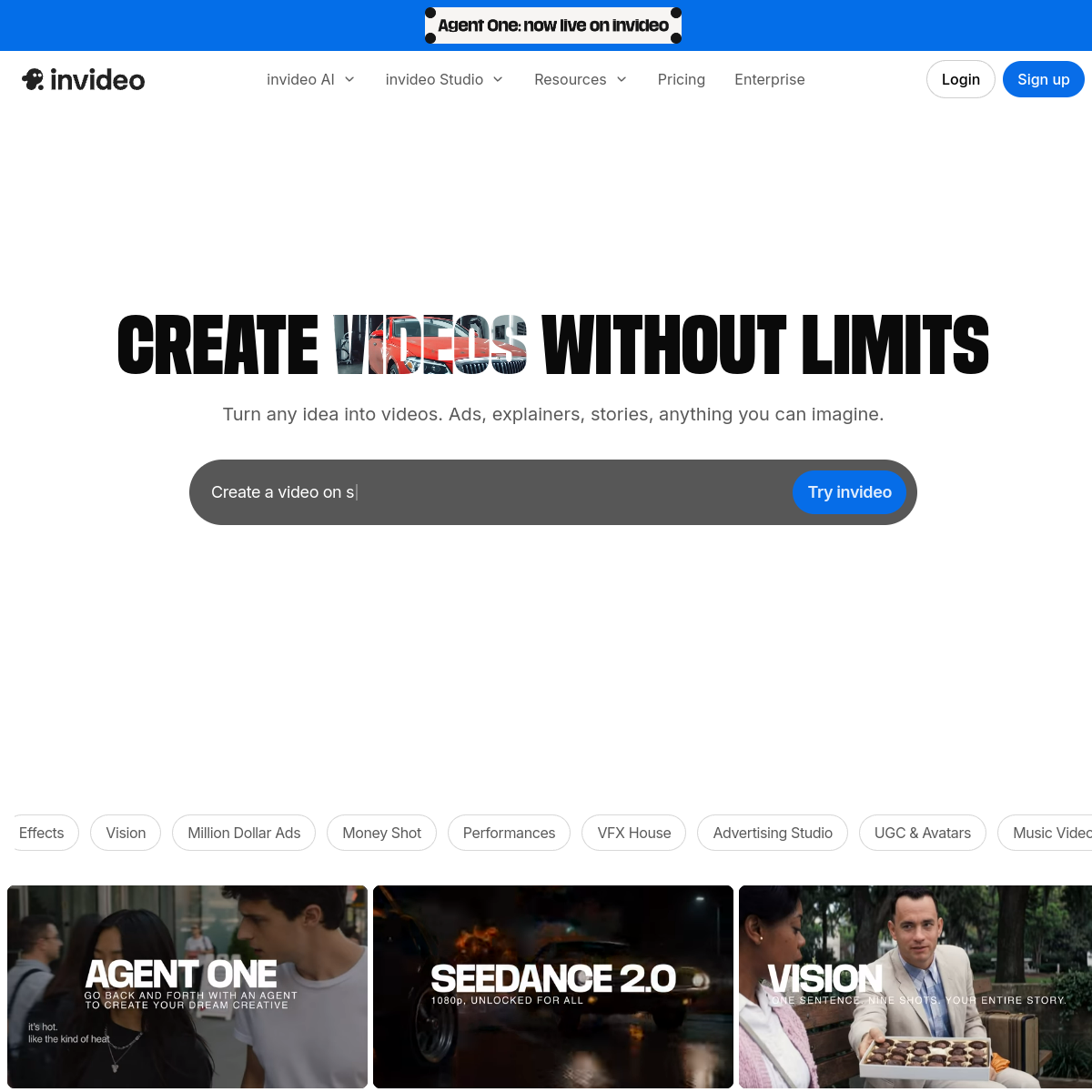
InVideo AI — an AI creation platform that generates complete videos with one click of text
Core parameters and statistics of InVideo AI
InVideo AI is currently positioned as an "AI video platform for professional creators." Compared with earlier versions, the product focus has shifted from "templated video editor" to "AI Agent-driven full-process video creation." The platform is no longer just a text-to-video tool, but an end-to-end video production environment that aggregates a variety of generative AI models (Google Veo 3.1, Sora 2, Kling 3.0, etc.) and supports multi-Agent collaboration.
| Parameters | Details |
|---|---|
| Number of registered users | 25 million+ |
| Countries covered | 190 |
| Number of video templates | 5000+ |
| AI dubbing languages and sounds | 50+ languages 120+ voice styles |
| Material library size | 16 million+ copyrighted materials (iStock, Storyblocks, Getty Images) |
| Integrated AI models | Veo 3.1, Sora 2, Kling 3.0, Wan AI, Seedance 2.0, etc. 200+ models |
| Supported platforms | Web, iOS, Android |
| Free Plan | Yes (export with watermark, 10 minutes of AI generation per week) |
| Starting price | Plus $25/month (paid annually) |
| Security Compliance | SOC 2, ISO Certification GDPR Compliance |
| Company established | 2017, headquartered in San Francisco |
Change in product positioning: After InVideo AI 2.0 in 2024, the core difference of the platform will be upgraded from "conversational video generation" to "Agent collaborative video production". Users no longer just input prompt words and other outputs, but can create multiple AI Agents to serve as directors, photographers, composers, etc. to collaborate on a video project. This change means that InVideo's target users have moved up from "low-threshold video creation novices" to "professional film, television and advertising production teams".
The essence of the multi-model aggregation strategy: InVideo does not rely on a single self-developed video generation model. Instead, it aggregates mainstream video generation models in the industry such as Google Veo 3.1, OpenAI Sora 2, and Kling 3.0 as a platform. Users can choose the best model according to the scenario in the same workflow. This reduces the cost for creators to switch between multiple tools, but also means the platform relies on third-party models - model availability, generation quality and pricing power are all outside InVideo's control.
Security Compliance Capabilities: InVideo AI is SOC 2 and ISO certified to be GDPR compliant, which is a requirement for enterprise-level procurement and adoption in compliance-sensitive industries (finance, healthcare, government). Among current competing products, most AI video tools have not yet completed safety certification to the same specifications.
Users and market recognition of InVideo AI
InVideo AI’s user base covers a broad spectrum from individual creators to Fortune 500 companies. The platform has more than 25 million registered users, distributed in 190 countries, and maintains a rating of more than 4.5 stars on SaaS evaluation platforms such as G2 and Capterra. Its enterprise customer list includes well-known brands such as Google, NVIDIA, Salesforce, Visa, IBM, Meta, Netflix, Ford, Mastercard, etc. The actual persuasiveness of this customer base far exceeds the ratings of general review websites.
C-end market position: InVideo AI, together with Pictory, Synthesia, Runway and other tools, form the first echelon of AI video creation, but each has a different focus. The core barrier of InVideo lies in the material copyright network - it has cooperated with the three major copyright material platforms: iStock, Storyblocks, and Getty Images. User-generated videos can be used commercially without the need to purchase additional material licenses. For teams that frequently produce marketing videos, this directly saves hundreds to thousands of dollars in monthly subscription costs for genuine materials.
B-side penetration logic: The reason why large companies adopt InVideo is not only its AI generation capabilities, but also its "AI Agent collaboration" architecture - the marketing team can allow multiple Agents to process the generation tasks of different shots in parallel, and all are uniformly controlled by human creative directors. This is the closest to the workflow of traditional film and television production. According to the official website, InVideo has received the endorsement of top venture capital investments in Stripe, Spotify, Flipkart and ByteDance, and its financing background provides financial guarantee for the long-term development of the product.
Position in industry evaluation: In third-party comparisons, InVideo AI’s strengths lie in its “one-stop solution for the entire process” and multi-model aggregation. Its weakness lies in the fact that the capabilities of a single model are not as good as dedicated tools—for example, the quality of pure AI video generation is not as good as Runway Gen-3, and the performance of AI digital humans is not as good as Synthesia. However, since the platform allows users to switch the underlying model as needed during the project, this strategy of "being broad but not mastering" has become its unique advantage in scene adaptability.
Cost Advantages of InVideo AI
C-side/individual user cost: The free version provides 10 minutes of AI video generation per week (with watermark), which is enough to support a light experience. The Plus plan costs about $20/month annually ($25 monthly) and offers 50 minutes of watermark-free generation and 50GB of storage per month. The Max plan costs about $48/month annually ($60 monthly) and offers 200 minutes per month and 100GB of storage. Compared with competing products: Synthesia starts at $29/month but only supports AI digital human videos; Pictory starts at $19/month but the material library size and model selection are not as good as InVideo. The essence of "billing by the minute": AI video generation time is billed based on the final rendering output length rather than the GPU computing time, which means that even if there are multiple modifications and retries during the generation process, as long as the final output is within the quota, there will be no additional charges. This pricing method is more friendly to users who need repeated fine-tuning.
Developer/API Cost: InVideo currently does not disclose an independent API pricing system for developers. Unlike platforms such as Runway and Stability AI that provide pure API services, InVideo is mainly a subscription-based SaaS, and its API capabilities are mainly targeted at enterprise customized solutions. If an enterprise needs to embed InVideo's capabilities into its own workflow (such as e-commerce batch production of product videos), it needs to contact the business for a separate quote. The specific cost is not disclosed.
Enterprise/Private Deployment Cost: InVideo supports Team & Enterprise plans, which provide team collaboration, unified billing, advanced management, and security compliance features. Specific pricing needs to be confirmed by the business, but as a SaaS product, enterprises do not need to bear the procurement and operation and maintenance costs of GPU computing infrastructure. Enterprise plans typically offer custom credit discounts and unlimited team members for teams that generate more than 2,400 minutes per year (the Max plan limit). The total cost of the enterprise should be evaluated against the two alternatives of "the labor cost of building an in-house video team" and "the third-party quotation of outsourced video production".
InVideo AI’s main features
-
AI Agent Video Creation: The core differentiated function of the platform. Users can create multiple AI Agents for the project, responsible for roles such as director, photography, soundtrack, and editing. Each Agent can independently configure the underlying model and generation parameters. Agent One is the default main Agent. After receiving the user's project introduction, it automatically plans the shot list, selects the model, writes prompts, and generates them step by step, and finally summarizes them into a complete video. Applicable scenarios: Movie-level short films, series of micro-short plays, and brand commercials that require the collaboration of multiple people.
-
Multi-model aggregation engine: Integrate 200+ image, video, audio and music generation models, including video models such as Google Veo 3.1, Sora 2, Kling 3.0, Wan AI, Hailuo AI, Pixverse AI, and audio models such as ElevenLabs, Minimax and others. Users do not need to register and recharge for each platform separately, and can schedule them uniformly within InVideo. Applicable scenarios: cross-model effect comparison test, different styles of models used in different shots in the same project.
-
AI Script and Storyboard: Built-in AI-assisted script editor, supports writing from scratch or importing existing scripts, and automatically decomposes them into shot-level storyboards. The storyboard can be previewed and adjusted according to the shot, and then entered the generation stage after confirmation to avoid discovering overall narrative problems after the entire film is generated. Applicable scenarios: Pre-planning of micro-short dramas, brand commercials, and product promotional videos.
-
Multi-shot batch editing: Supports editing the parameters of multiple shots at the same time - such as changing backgrounds, adjusting clothing, modifying character actions - the AI Agent will automatically update synchronously in all related shots. In traditional workflows, modifying a character's clothing may require regeneration shot by shot. InVideo compresses this process into a single operation through "full associative modification". Applicable Scenarios: The same character maintains visual consistency in multiple scenes.
-
Real-time multi-person collaboration: Supports multiple people editing the same project at the same time, displaying real-time cursors and comments. The results generated by the AI Agent can be reviewed and revised by team members, and then handed over to the Agent for regeneration. Applicable scenarios: remote collaboration video production teams, internal film review processes of advertising agencies.
-
Brand Toolkit and Multi-size Export: Unified management of brand color logo, fonts and visual specifications, one-click output of multiple size versions such as 16:9 (YouTube), 9:16 (TikTok/Reels), 1:1 (Instagram), etc., without the need to manually adjust the layout. The brand toolkit automatically takes effect in all projects to ensure content consistency.
-
AI voice-over and dubbing: Supports AI dubbing in 50+ languages and 120+ voice styles. The speech speed and tone can be adjusted. It also supports uploading real-person recordings or using third-party models such as ElevenLabs for voice cloning.
InVideo AI model and version evolution
InVideo's version evolution reflects the product strategic transformation from "template editor" to "AI Agent platform", which can be roughly divided into three stages.
Phase 1: Template Video Editor (2019-2022)
- InVideo Public Release (~2019-06): It is a browser-based online video editor that provides 5000+ professional templates and supports drag-and-drop editing and material library calling. A competitive advantage for marketers and content creators is the ability to create videos without downloading a client.
- Users exceeded one million (~2021): Quickly acquire users through the freemium model, expand the template library to 5000+, and reach copyrighted material cooperation with Getty Images. The essence of InVideo at this stage is "Canva with templates but making videos", and AI capabilities have not yet become a core selling point.
Phase 2: AI text to video (2023-2024 mid)
- AI text-to-video function launched (~2023-03): Users input topics or script text, and the platform automatically matches video materials and subtitles. This is the first time InVideo has introduced AI into the creative process, but the bottom layer is still material splicing rather than native generation.
- Users exceeded 10 million (~2023): AI functions drive accelerated growth in user scale.
- InVideo AI 2.0 Release (~2024-06): A real product turning point. Introducing conversational modification and full-process AI automation based on large language models, users can describe requirements in natural language and make iterative modifications. The platform has officially shifted from "semi-automatic video editing" to "fully automatic AI video generation".
Phase 3: AI Agent Platform (end of 2024 to present)
- Multi-model aggregation (~2024-2025): It has integrated mainstream video generation models such as Google Veo 3.1, Sora 2, Kling 3.0, etc. Users can choose different models to generate videos on the same platform.
- Agent One and Multi-Agent Architecture (~2025-2026): Launched AI Agent collaborative creation mode, supporting the creation of multiple Agents responsible for different creations. The platform positioning has been upgraded from "text-generated video" to "AI native video production platform".
- Enterprise Level Security Certification (~2025-2026): Pass SOC 2, ISO and GDPR compliance certification to unlock enterprise purchasing thresholds.
- Current user base 25 million (~mid-2026)
Version Note: The above stage time points are approximate values based on public milestones. InVideo does not release semantic version numbers in the traditional sense. Product iterations are based on the rhythm of feature launch.
Technical advantages of InVideo AI
InVideo AI's technical architecture is built around "AI Agent orchestration" rather than "single model capabilities", which is the most differentiated strategic choice in the current AI video tool market.
Multi-Agent Orchestration Architecture: InVideo's core technology stack is not a self-developed video generation model, but an Agent orchestration layer that is responsible for parsing the user's project brief (Project Brief) into an executable generation task sequence. Taking Agent One as an example, after inputting a script document, it will automatically complete the following steps: (1) decompose the script into a shot list; (2) select the most appropriate generation model for each shot (such as Kling for dialogue scenes and Veo 3.1 for action scenes); (3) write exclusive prompt words for each model; (4) submit generation tasks in order and summarize them. This orchestration layer decouples "creative intent" and "underlying model", allowing InVideo to continuously access new models without requiring users to relearn the operating process. Mechanism → Effect → Applicable Scenarios: The orchestration layer reduces the cost of tool switching and is suitable for long video projects that require a mix of multiple generation capabilities. However, the complexity of the orchestration logic means that the startup cost of Agent on small projects may be higher than using a single model directly.
Long-term memory and context retention: Agent One has project-level long-term memory capabilities, which can maintain the consistency of character appearance, clothing style, scene lighting and other elements in cross-shot and cross-session scenes. This ability is crucial for series content (micro-short dramas, brand series advertisements) - a common pain point of traditional AI video tools is "the same character looks different in different shots." In terms of technical implementation, Agent will inject the visual context reference of the previous shot when each shot is generated. However, in extremely complex multi-character long video projects, maintaining consistency is still an engineering challenge.
Large-scale material semantic retrieval: The platform has built a semantic search engine for 16 million+ copyrighted materials, which can automatically match the most relevant video clips, pictures and music based on the understanding of script paragraphs. The retrieval system supports filtering by dimensions such as emotion, tone, and movement direction, which is more accurate than traditional keyword matching. The value of this capability is that when AI-generated video cannot meet the needs of all shots, the material library serves as a "Plan B" to ensure that content is available for every shot.
Multi-model output quality aggregation strategy: InVideo does not promise that a single model will reach the SOTA level, but ensures the overall output quality through a model routing strategy - the Agent will evaluate the generation requirements (style, content type, expected complexity) of each shot and automatically select the model that currently performs best in this dimension. When the performance of a certain model declines in certain scenarios, the routing strategy can be dynamically adjusted without user intervention. But this also means that users do not have full control over which model is used, and for professional users who need precise control over the generation style, this "black box routing" can cause uncertainty.
How to use InVideo AI
InVideo AI provides three main usage portals, covering diverse needs from individuals to teams.
| Entrance | Description | Suitable for the scene |
|---|---|---|
| Web side | Visit https://invideo.io and use it directly in the browser after registration | Main creative entrance, supporting full functions |
| iOS App | App Store Search "InVideo" to download | Mobile viewing, light editing and review |
| Android App | Search "InVideo" on Google Play to download | Same as above |
Typical creative process (AI Agent mode):
- Create project: Click "New Project" on the InVideo AI workbench, enter the project name and brief description (such as "Create a 30-second product commercial for an e-commerce brand").
- Set Agent: Select or create an AI Agent (default Agent One). You can specify the Agent's style reference (such as "movie-like" and "fast-paced delivery") and the model preferences used.
- Enter script or introduction: Directly write or upload a script document, product selling point list, or blog post link. Agent will automatically parse and generate shot-level storyboards.
- Review Storyboard: Check the copy description and expected picture of each shot in the storyboard view. You can manually adjust the shot order, modify the copy, or change the model.
- One-click generation: After confirming the storyboard, click "Generate", and the Agent will schedule each model in sequence to generate all shots. Completed shots can be previewed in real time during the generation process.
- Conversational modification: After the generation is completed, use natural language to propose modification comments (such as "Change the background of the third shot to a beach at sunset" "Change the protagonist's clothes to a red dress"). The Agent will understand the instructions and regenerate the corresponding shots.
- Collaborative Review: Invite team members to access the project through a link, add comments and modification suggestions, and the provider can respond online or apply modifications directly.
- Export for publication: Select the target platform size (16:9 / 9:16 / 1:1), adjust brand elements and export or share directly. The free version exports with watermark.
Boundary of Human-Computer Collaboration: In the Agent mode of InVideo AI, the tasks that can be 100% automated include: video material retrieval and matching, subtitle generation and synchronization, multi-size format conversion, and basic dubbing synthesis. Sections where manual confirmation points must be set include: script creative direction (Agent can generate a draft but the final direction requires human confirmation), brand safety (key visual elements involving the brand image need to be reviewed by humans), payment and commercial release (irreversible operations need to be triggered manually). For high-value customer delivery, it is recommended to add internal review procedures to control the quality consistency of AI-generated content.
Product Pricing for InVideo AI
InVideo AI adopts the pricing model of "free trial + tiered subscription + additional purchases on demand", and the billing dimension is based on the AI video generation time (minutes) as the core. All paid plans include a commercial use license.
| Plan | Price | AI generation duration | Storage | Watermark | Applicable scale |
|---|---|---|---|---|---|
| Free version | $0/month | 10 minutes per week | Basics | Yes | Personal experience |
| Plus | $25/month ($20/month annually) | 50 minutes per month | 50GB | None | Individual Creator |
| Max | $60/month ($48/month annually) | 200 minutes per month | 100GB | None | Professional team |
| Enterprise | Business Quotation | Custom | Custom | None | Enterprise/Institution |
Hidden costs billed by the minute: AI video generation time refers to the length of the final rendered output video, not the GPU computing time. This means that in the scenario of "generating a 2-minute video and modifying it 5 times before it is satisfactory", only the last 2 minutes will be counted towards the quota. However, the official has not clearly stated whether the low-resolution draft generation and shot-level trial rendering in the Agent preview stage will occupy the quota. It is recommended that enterprise users confirm the billing boundary through trial before signing an annual contract.
Model and Agent prices are subject to change: The official website prompts "Model & agent prices are subject to change", that is, the production costs of different underlying models (such as Veo 3.1 or Sora 2) may be different, and pricing may be based on model tiers in the future. Currently all models are billed uniformly within the same subscription plan, but this policy is subject to change.
Purchase on demand: When the generation time exceeds the subscription limit, users can purchase Credits on demand without upgrading the plan. For teams that occasionally have large batch production needs but do not have high daily usage, this mechanism is more flexible than direct upgrade.
Application scenarios of InVideo AI
1. Micro-short drama and series content production This is the scenario where InVideo AI’s Agent mode can best demonstrate its value. The production of traditional micro-short dramas requires script creation, storyboard drawing, actor shooting, post-editing, etc., and the cycle is usually calculated in weeks. InVideo AI’s Agent One can convert scripts directly into shot-level storyboards and generate them piece by piece. A single 5-10 minute short can be first produced in a few hours. Cost reduction and efficiency improvement: The traditional production time is shortened from "1 week/episode" to "3-4 hours/episode". It is suitable for short video teams and web IP adapters who need to quickly verify the narrative effect. Key points of verification: The degree to which the visual consistency of characters and scenes is maintained across multiple episodes of a long drama; the boundaries of AI-generated styles (specific styles such as historical dramas and science fiction dramas need to test the stable output capabilities of the Agent).
2. E-commerce batch product video production The e-commerce operations team needs to produce a 15-30 second product demonstration video for each SKU. The traditional model is to shoot multi-angle video material of the real thing and then edit it. The cost of a single video per SKU is about 50-200 yuan (including shooting and editing manpower). InVideo AI's AI Agent can automatically generate videos based on product selling point copywriting, supporting mass production, and the marginal cost is only limited by the production time limit. Cost reduction and efficiency increase deduction: shortened from "30-60 minutes per SKU" to "3-5 minutes per SKU", suitable for medium and large e-commerce sellers with more than 100 SKUs. Key points of verification: Visual accuracy of product details - the general product vision generated by AI may not be able to accurately restore the color, material and details of the physical product. It is recommended that key SKUs still use physical shooting materials.
3. Brand advertising and social media marketing content The digital marketing team needs to frequently produce Facebook advertising videos, TikTok Reels and Instagram short videos. InVideo AI’s branding toolkit ensures all output adheres to brand visual specifications, with multi-size one-click export to avoid manual layout. Cost reduction and efficiency improvement: shortened from "2-3 days for one advertising video (including communication and modifications with the outsourcing team)" to "complete multiple variations within half a day." Human-machine collaboration boundary: Advertising creative direction, brand tonality judgment and key frame visual effects need to be manually confirmed; subtitle layout, material replacement, and multi-size adaptation can be fully automated.
4. Corporate training and internal communication HR and training teams use AI voiceovers and templates to quickly convert text training manuals into audio videos. InVideo AI’s multi-language dubbing capability allows the same content to be generated in multiple languages with one click, making it suitable for multinational enterprises. Cost reduction and efficiency increase deduction: From "the production cost of one training course is 3,000-10,000 yuan (including animation production)" to "the basic version is tens of yuan (only consumes the subscription credit)". Key points of verification: The dubbing accuracy of professional terms - it is recommended to retain manual dubbing for review.
5. Pre-visualization of film and television Professional film and television production teams use InVideo AI to quickly convert scripts into previsual short films for financing pitches, team communication, and scene testing. Agent mode can quickly generate preview versions of multiple styles for comparison. Unsuitable scenarios: Commercial films and high-end documentaries that require extremely high final picture quality - the detail consistency of current AI video generation is still insufficient.
Applicable groups of InVideo AI
-
Professional video creators and film and television producers: InVideo AI's Agent collaboration mode is most suitable for the workflow of this type of users - first have scripts and storyboards, and then generate and refine them step by step. Unfit Boundary: For film-level productions that have rigid requirements for 4K/8K resolution, the resolution and details of the current AI video generation model cannot yet meet theater standards.
-
Digital Marketing Manager and Social Media Operations Team: Marketing videos of different styles and sizes need to be produced frequently. InVideo AI’s brand toolkit and multi-size output capabilities significantly reduce duplication of work. The brand toolkit ensures consistency in multi-content output and reduces cross-team communication costs. Prerequisites: Clear brand visual specifications (colors, fonts, logo usage rules) need to be established in advance, and the initial setup of the toolkit itself requires 1-2 hours of investment.
-
E-commerce operations and DTC brand team: Suitable for e-commerce content production with many SKUs and fast iterations. AI automatically generates videos that can significantly reduce the cost of outsourcing video production, but it should be noted that the general vision generated by AI cannot completely replace the credibility of physical shooting in showing details. Not suitable for borders: High-end fashion brands, jewelry and other products that require the ultimate visual detail display.
-
Internal training and HR team: Convert text training materials into videos, and generate multi-language versions with one click. There is no need to set up an in-house video production team, but technical terminology and sensitive information in the training content will require manual review. Purchasing Prerequisites: Enterprises need to pass SOC 2/ISO compliance review. InVideo has passed relevant certifications and can directly meet enterprise compliance requirements.
-
Unsuitable people: (1) Interview and documentary content that requires real-person appearances or real-life shooting (AI digital people are not as effective as the dedicated tool Synthesia); (2) Commercial films and high-end TV commercials that have extreme requirements for AI-generated quality consistency (it is recommended to use traditional VFX workflow); (3) Users who only need simple video editing functions (free Canva or editing is enough, without the $25/month subscription cost).
Summary and Outlook
InVideo AI's core competitiveness does not lie in the generation quality of a single AI model, but in the construction of a combined creation platform of "AI Agent orchestration + multi-model aggregation + massive copyright materials". This system enables end-to-end automation of the core aspects of film and television advertising production—from script analysis to storyboard generation to multi-model division of labor execution. This is a differentiated value that currently has not been fully covered by competing products such as Runway, Synthesia, and Pictory. The list of 25 million users and enterprise customers including Google, NVIDIA, and Meta has verified the market feasibility of this solution.
Current major limitations: (1) The underlying model relies on third parties - the availability, quality and pricing of Veo 3.1, Sora 2, etc. are not controlled by InVideo, and model deactivation or price increase will directly affect the user experience; (2) Agent orchestration still has the problem of unstable visual consistency in projects with long videos, multiple characters, and complex narratives; (3) The overall resolution (up to 1080p) and detail control of AI video generation cannot yet meet high-end film and television production standards; (4) API And the privatization plan is not disclosed, which limits the expansion of the developer ecosystem and deep enterprise integration scenarios.
Follow-up observation points: (1) Whether InVideo will develop its own video generation model to reduce dependence on third parties; (2) Whether it will launch a developer API to open the embedded integration market; (3) The consistency and stability of Agent orchestration capabilities in enterprise-level projects (it is recommended to pay attention to the quality feedback from the user community); (4) In the face of competition in AI video functions from traditional creative tool platforms such as Canva and Adobe, whether InVideo's differentiation can be sustained.
Purchase and Adoption Risk Assessment: For individual creators and small and medium-sized teams, the Plus plan provides a cost advantage far beyond traditional video production solutions at a price of $25/month, and is worthy of being introduced as the main video creation tool. For enterprise users, it is recommended to conduct a small-scale pilot for 1-3 months with the Plus/Max plan, select 1-2 specific business scenarios (such as social media short videos, product display videos) to verify the production quality, team adaptability and actual time savings, and then decide whether to expand to more scenarios or upgrade the Enterprise plan based on the pilot results. Before signing an Enterprise annual contract, it is important to confirm: (1) replacement options and SLA guarantees when the model changes - in the event that Sora or Veo's integration agreement changes, whether InVideo has an equivalent replacement model; (2) whether the copyright ownership and commercial use authorization scope of AI-generated content meet corporate legal requirements; (3) compliance paths for data storage and transmission (whether the specific coverage of SOC 2 certification includes enterprise data isolation). In compliance-sensitive industries, it is recommended that legal teams review the agreement on liability for AI-generated content in the standard clauses before purchasing.
Related tools: runway, pika
Version Info
- InVideo AI 2.0 :Launched the InVideo AI 2.0 intelligent video creation platform. Users only need to input natural language prompt words, and AI automatically completes the entire process of script writing, material matching, voice-over generation and video editing. It supports conversational modification instructions and realizes complete automation from idea to finished film.
- AI text-to-video function launched :Launched the AI text-to-video function. Users can input topics or script text, and the platform will automatically match the video material and generate a complete video with subtitles, significantly lowering the threshold for video creation.
- InVideo Public Release :InVideo template video editor is officially released to the public, providing 5000+ professional video templates, online drag-and-drop editor and media material library, and is open for registration to marketers and content creators.
User Reviews