 Jarvis Labs
Jarvis Labs provides hourly cloud GPU instances and pre-installed ML-enabled Jupyter Notebooks, supports PyTorch, TensorFlow and other frameworks, focusing on a low-threshold GPU training experience.
JarvisLabs
Core parameters and statistics of Jarvis Labs
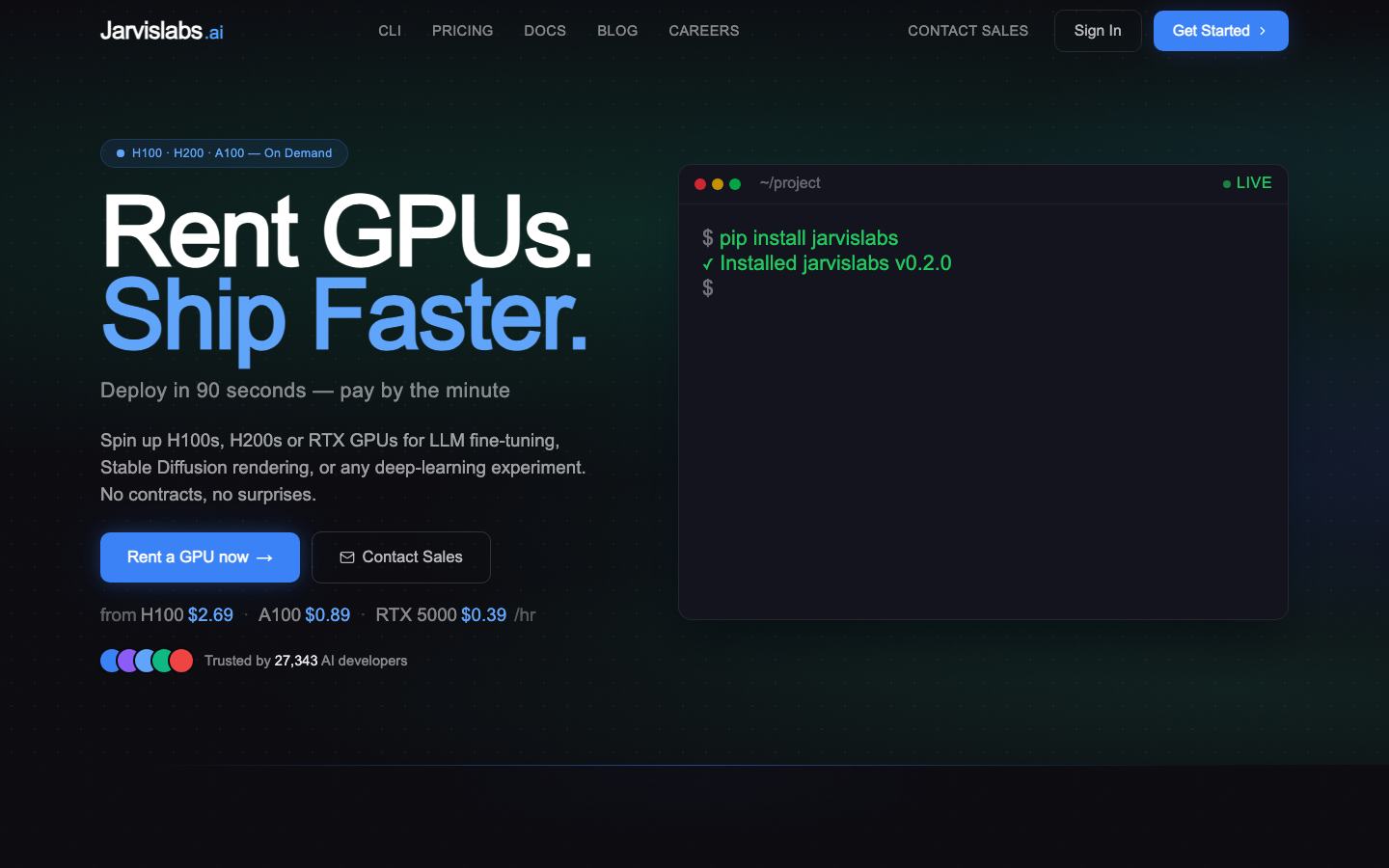
Jarvis Labs is positioned as a "GPU cloud platform for AI teams" and the official description is "Rent GPUs. Ship Faster." The core value lies in the flexible per-minute billing model, which provides a complete instance level from H200 to entry-level GPU, and comes with pre-installed templates and CLI/SDK tool chains. The goal is to cover the GPU computing power needs of all scenarios from personal experiments to team collaboration.
| Projects | Public Information |
|---|---|
| Official positioning | GPU cloud platform for AI training and inference |
| Deployment form | Cloud SaaS (hosted container + root privilege VM dual mode) |
| GPU models | H200 SXM, H100 SXM, RTX Pro 6000 Blackwell, A100 80GB, A100 40GB, A30, L4, A6000, A5000, RTX 5000 |
| Maximum number of GPUs per instance | 8 |
| Instance startup time | Template starts in 1.8 seconds; VM less than 90 seconds |
| Billing granularity | Billed by the minute, only storage fees will be charged if suspended |
| Storage price | $0.10/GB·month (instance storage) |
| Regions | India (Noida), Finland (EU) |
| Billing currency | USD, Stripe payment (credit card/debit card/online banking) |
| Developer Tools | Web UI, CLI (jl), Python SDK, JupyterLab, VS Code Web, SSH |
| Community size | 27,000+ AI developers 50M+ GPU hourly service volume |
| Customer Cases | Tesla, Hugging Face, Kaggle, Zoho, Weights & Biases, upGrad, Saama |
| Latest version | 2026-Q2 (continuous iteration of cloud services, no fixed version number) |
Differences in deployment forms: Jarvis Labs also provides two modes: "Managed Containers" (pre-installed framework OS/driver/container managed by the platform) and "Root-access VM" (user-controlled kernel/Docker/driver). The underlying GPU pricing is the same, and the difference is only in the upper management plane. The former is suitable for out-of-the-box training scenarios, and the latter is suitable for advanced users who need customized infrastructure.
Startup performance: Template mode nominal 1.8 second startup - meaning for quick experiments, going from selecting a configuration to entering JupyterLab is almost instantaneous; VM mode ~90 seconds, reflecting full operating system startup time. Both support pause/resume, and only storage fees are charged during the pause period.
Regional Layout: Currently there are only two regional nodes in India and the European Union. There is a clear gap compared to the global coverage of AWS/GCP/Azure, but this may be a low-latency advantage for Asia-Pacific and European users.
User and market recognition of Jarvis Labs
Jarvis Labs’ market recognition mainly comes from community word-of-mouth and endorsements from well-known customers, rather than public revenue data (the latter is not disclosed).
Community Popularity: The official website claims to serve 27,000+ AI developers and provide a total of 50M+ GPU hours, which is an upper-middle-level scale among independent GPU cloud platforms. Considering the density of competition in the GPU cloud industry (Lambda Labs, RunPod, Vast.ai, Paperspace, CoreWeave), this magnitude suggests it is past the early stage of validation.
Customer Matrix: Publicly lists enterprise users such as Tesla, Hugging Face, Kaggle, Zoho, Weights & Biases, upGrad, Saama, etc. Among them, the emergence of Tesla and Hugging Face deserves attention - the former represents industrial-level training scenarios, and the latter represents the core platform of the open source ML ecosystem, indicating that its platform has landed in both directions of "high-demand training" and "community development".
User reputation: The official website displays Twitter recommendations from industry KOLs such as Jeremy Howard (founder of fast.ai) and Sudalai Rajkumar (Kaggle Grandmaster), which proves that it has a certain penetration rate in the deep learning education community (fast.ai user group) and the competition community (Kaggle). However, the official website does not disclose NPS scores or third-party evaluation reports, and word-of-mouth verification is mainly based on community public opinion.
Prerequisites: For independent GPU cloud platforms, users’ real choice often depends on the intersection of three variables: “point-in-time price × availability × regional coverage” - Jarvis Labs’ H100 pricing of $2.69/hr is lower than the on-demand price of mainstream cloud vendors (usually $3-$4/hr), but higher than the RunPod Community Edition. Its core barriers lie in document quality, template ecology and CLI experience, rather than absolute low price.
Jarvis Labs Cost Advantage
Jarvis Labs' cost advantage is expressed in a three-tier structure: personal on-demand, prepaid discounts, and enterprise batch negotiation, of which minute-by-minute billing and suspended free are its core points of differentiation.
C-side/individual: billed by the minute, starting at a minimum of $0.39/hr
Individual developers do not need to make long-term commitments and pay based on actual usage minutes. Pausing an instance only incurs storage charges ($0.10/GB·month). The absolute price of entry-level GPUs (RTX 5000 $0.39/hr, A30 $0.41/hr) is at the low end of the discrete GPU cloud, making it suitable for small-scale experiments and teaching scenarios.
Free Credit: No free trial, minimum recharge of $10 to get started. This is a lower barrier to entry for budget-conscious students and hobby developers, but lacks the appeal of the free tier compared to competing strategies like Paperspace offering free GPU time and Google Colab offering free T4.
Developer/API: Automated consumption driven by CLI+Python SDK
Team users can manage instance lifecycle through the jl CLI or Python SDK. The cost model is the same as the C-side (billed by the minute), but discounts can be obtained through prepaid packages - the official website shows that a 1-month commitment can save about 21%, 3 months about 26%, 6 months about 32%, and 1 year about 42%. Spot Instances are also available for savings of up to 56% (for interruptible, fault-tolerant tasks).
Hidden costs: Please pay attention to the storage fee ($0.10/GB·month) and possible outbound traffic fees (the official website only indicates "Free in-region egress", and the cross-region traffic policy is not fully disclosed). Also, the refund policy for prepaid plans is not clearly stated.
Corporate/Private: Volume discounts and customized solutions
The official website provides the enterprise entrance of "25+ GPUs, Talk to sales". Enterprise customers can negotiate reserved capacity, multi-GPU clusters, and custom quotes. At the same time, the 99.9% uptime SLA is standard in independent GPU clouds, but the status of enterprise-level audit SSO and compliance certification (SOC2/GDPR, etc.) is not disclosed.
Cost comparison with mainstream competing products: The following is a comparison of public data on on-demand hourly pricing (taking H100 as an example):
| Provider | H100 on-demand price | Billing granularity | Minimum threshold |
|---|---|---|---|
| Jarvis Labs | $2.69/hr | minutes | $10 top-up |
| Lambda Labs | $2.49/hr (single card, 8 cards $19.92/hr) | hours/seconds | on-demand/reserved |
| RunPod Community Edition | ~$2.19/hr | Seconds | $10 Recharge |
| Paperspace | $2.49/hr (A100 80GB) | Hours | Free Quota |
Cost Decision Tips: Jarvis Labs' H100 pricing is not the absolute lowest, but its template mode and 1.8-second startup speed have hidden cost advantages in high-frequency experiment scenarios - that is, the "from startup to output" time is shorter. For experimental workloads that require frequent start and stop, the wastage rate of minute-based billing is significantly lower than that of competing products billed by the hour.
Main features of Jarvis Labs
Jarvis Labs' capabilities cover the complete link from "instance creation to model deployment" rather than just providing bare GPUs. The core functional modules are as follows:
-
Managed Containers: Choose a template with pre-installed frameworks such as PyTorch, TensorFlow, ComfyUI, Automatic1111, etc., pair the GPU and start it with one click. The platform manages the OS, driver CUDA and container layer, and users only need to bring code. Supports three access methods: JupyterLab, VS Code Web, and SSH. The template starts in just 1.8 seconds and data is persisted after pause.
-
Root-access VM: A virtual machine that provides complete root SSH access and supports customized kernel Docker/Kubernetes and self-built CI Runner. Suitable for infrastructure-level requirements that cannot be carried by templates. VM starts in ~90 seconds, up to 8 cards.
-
CLI and Python SDK: After installation through
pip install jarvislabs, use thejlcommand to manage the entire life cycle of the instance. Key command examples:jl create --gpu H100— Create an instancejl run train.py --gpu A100 --requirements requirements.txt— Upload code + install dependencies + start trainingjl ssh <id>— direct SSH connectionjl setup— Establish a bidirectional connection between the local terminal and the cloud instance (Agent-Native mode)
-
Agent-Native integration: CLI is designed to cooperate with AI programming agents such as Claude Code, Cursor, Codex and OpenCode - the agent can autonomously call
jlto start the GPU instance, run the experiment and pull back the results, forming an "AI Agent → GPU Cloud" connection. This is Jarvis Labs’ key differentiating capability from traditional GPU clouds. -
Application Deployment: Supports publishing trained models as Gradio, Streamlit, FastAPI endpoints or custom APIs to achieve a one-stop process from training to inference without switching platforms.
-
Multi-GPU and flexible configuration: A single instance supports 1-8 GPUs, and you can switch the GPU type or adjust the storage capacity after pausing. Supports multi-region selection (currently India, Finland) to adapt to different data sovereignty needs.
[Expert View]: Among the above functions, what really creates synergy is not a single capability, but the combination of "CLI → Agent-Native → Managed Runs → Deploy": Agent starts training with jl run → automatically pulls back logs after training is completed → deploys the model as an API endpoint - all this without manual intervention, solving the fragmented pain point of "experimental scripts are scattered locally, training is done manually, and deployment requires cross-platform migration". In comparison, templates and Web UI are just the basics, and competitors have basically leveled up.
Jarvis Labs model and version evolution
Jarvis Labs is a continuously iterative cloud service platform with no public software version number system. The following is a version progression organized according to publicly verifiable milestone nodes:
Platform launch and early development (~2022-01)
- Jarvis Labs platform launched: The GPU cloud service platform is officially launched, initially supporting NVIDIA consumer and professional GPUs such as RTX 3090, A4000, A6000, etc., positioning it as "inclusive GPU training". In the early days, we mainly acquired customers through fast.ai community communication.
GPU model extension period (2022-2024)
- A100 40GB/80GB instances will be added gradually, covering the full price range from consumer-level to data center-level GPUs.
- Launched the Managed Containers model to lower the entry barrier.
- Launched three workspace access methods: JupyterLab, VS Code Web, and SSH.
High-end and tool chain maturity period (2024-2025)
- Add H100 SXM instances to enter the large model training market and directly benchmark against Lambda Labs and CoreWeave.
- Launched
jlCLI and Python SDK to support the full life cycle management of instances from the terminal. - Launched the Managed Runs function (
jl run) to realize the automated link of "code upload → dependency installation → training → log return". - Introducing Agent-Native integration capabilities to support AI Agent-driven GPU instances such as Claude Code, Cursor, and Codex.
Current status (2026-Q2)
- LATEST RELEASE: 2026-Q2, GPU models expanded to H200 SXM ($3.99/hr, 141GB HBM3e) and RTX Pro 6000 Blackwell ($1.89/hr, 96GB GDDR7), covering cutting-edge workloads from 70B+ inference to high VRAM memory requirements.
- Also available on Spot instances (save up to 56%), 1-12 months prepaid discounts.
- Added root permission VM mode to meet customized infrastructure needs.
- The region is expanded to two nodes in India (Noida) and Finland.
- Cumulative service of 50M+ GPU hours, 27,000+ AI developers.
Since Jarvis Labs does not provide "version number" release in the traditional sense, it is recommended to use the latest update logs of the official blog (jarvislabs.ai/blog) and documentation site (docs.jarvislabs.ai) as the basis for version tracking.
Technical Advantages of Jarvis Labs
Jarvis Labs' technical advantage lies not in a single algorithm or model capability (it does not produce chips or frameworks), but in the "upper-layer productization engineering" transformation of the consumer experience of GPU infrastructure:
Extreme acceleration of templated startup chain: The core mechanism of template mode's 1.8-second startup is container pre-caching + COW (copy-on-write) snapshot - the platform prepares a hot cache image layer for each framework template (PyTorch, TensorFlow, ComfyUI, etc.) in advance, and users only need to allocate resources and mount the existing layer when starting. This is two orders of magnitude faster than the minute-level startup each pull from Docker Hub, which has a direct time benefit for cutting-edge experiments that require frequent start and stop (such as HPO search, multi-hyperparameter parallel verification).
Dual-mode container/VM isolation: Template mode uses container technology for user isolation, sharing the kernel but restricting namespace and cgroups; VM mode uses KVM virtualization to provide complete kernel isolation. The two models are priced the same and differ only in the management plane and isolation level. This provides options for users with different compliance requirements, while avoiding the traditional limitation of "high performance requires a fully naked VM".
Per-minute billing + pause economic architecture design: When the GPU instance is paused, only storage ($0.10/GB·month) is retained, and GPU and CPU resources are released back to the cluster pool. This means that users can create independent instances for each independent experiment, pause when the experiment is completed, and resume when needed next time - without having to waste idle GPU time to "save time for the next deployment" like traditional hourly billing platforms. The minute-by-minute billing mechanism requires the platform to have the ability to perform fine-grained resource measurement for GPU/CPU/memory/storage. This is usually a capability that large cloud vendors have. The fact that Jarvis Labs can implement it on this scale shows that its billing engine has considerable engineering implementation.
Agent-Native specific CLI design: jl CLI is not a simple cloud console package, but is designed as a "GPU peripheral for AI Agent" - achieving single-command "code upload + context preparation + training + log return" through jl run. The key engineering details are: automatic incremental synchronization when uploading code, automatic parsing of requirements.txt for dependency installation, and real-time streaming back of training logs. This allows the AI Agent to complete the complete cycle of "create instance → run experiment → read results → destroy instance" within an SSH session, without manual intervention in SSH configuration or port forwarding.
Engineering pitfall guide (Rule B mandatory):
-
Heartbeat circuit breaker when multiple instances are running in parallel: When running multiple
jl runsessions at the same time, if an instance is silently lost due to GPU preemption or host failure, the CLI will not automatically retry or timeout recycling - it is recommended to encapsulatetimeout+retrylogic outside the training script, or usejl createto explicitly manage the instance life cycle instead of relying only on the implicit life cycle ofjl run. -
Binding relationship between storage and instances: Although the data is retained after the instance is suspended, the storage will be permanently cleared after the instance is deleted (the official clearly states that "deletion is not recoverable"). For teams that need to retain experimental data for a long time, it is recommended to use an independent backup strategy outside the instance (such as regular scp of
checkpoints/to local or object storage). -
Region locking and cross-region migration restrictions: After selecting a region (India/Finland) when starting an instance, recovery after suspension can only be performed in the same region, and cross-region migration is not supported. If a region has insufficient capacity, suspended instances cannot be restored. The official website does not disclose the region capacity status panel. It is recommended to verify the resource availability of the target region before using it frequently.
How to use Jarvis Labs
Jarvis Labs provides four entrance methods, targeting user groups with different usage habits:
| How to use | Suitable for the crowd | Core commands/operations | Features |
|---|---|---|---|
| Web console | First time use, quick start | Select template → Configure GPU → Click Launch | Zero installation, suitable for visual operation |
CLI (jl command) |
Developer, automation script | jl create --gpu H100, jl run train.py |
Support incremental synchronization, log stream Agent integration |
| Python SDK | Programmatic management | from jarvislabs import JarvisLabs |
Suitable for embedding in CI/CD or training Pipeline |
| SSH/VS Code Remote | Advanced users, custom context | SSH direct connection / VS Code Remote-SSH | Full control, suitable for complex debugging |
5 Minutes Quick Start (Web Console):
- Register an account: Visit
accounts.jarvislabs.aito create an account - Recharge: Add a minimum balance of $10 on the Recharge page
- Select a template: Select a pre-installed environment such as PyTorch, TensorFlow, ComfyUI, etc. from the Templates list
- Configure GPU: Select GPU type (H100/A100/RTX, etc.) and storage size (20GB-2TB)
- Launch the instance: Click Launch and wait 1.8 seconds (template) or 90 seconds (VM)
CLI Quick Start (for developers):
# Install jarvislabs CLI
pip install jarvislabs

#authentication
jl setup

# Create a GPU instance and run the training script
jl run train.py --gpu H100 --requirements requirements.txt

# SSH to a running instance
jl ssh <instance-id>

# View the instance list
jl list
Agent-Native configuration example: In Claude Code or Cursor, AI Agent can directly call the jl command to trigger GPU experiments without manual approval of each step. It is recommended to set max_steps and budget control in the Agent's system prompt to prevent the Agent from incurring high costs in infinite loops during hyperparameter search.
Jarvis Labs Product Pricing
Jarvis Labs adopts a three-tier pricing structure of "per-minute billing + prepaid discount + Spot bidding". The following prices are from the official public pricing page (jarvislabs.ai/pricing), in USD per GPU hour:
| GPU model | Video memory | On-demand price (USD/hr) | Applicable scenarios |
|---|---|---|---|
| H200 SXM | 141GB HBM3e | $3.99 | 70B+ large model training and inference |
| H100 SXM | 80GB HBM3 | $2.69 | Large model fine-tuning and high-performance inference |
| RTX Pro 6000 Blackwell | 96GB GDDR7 | $1.89 | High VRAM requirements (video generation, medical imaging) |
| A100 80GB | 80GB HBM2e | $1.49 | General purpose training and inference |
| A100 40GB | 40GB HBM2e | $0.89 | Balanced price/performance |
| A6000 | 48GB GDDR6 | $0.79 | Mid-range training |
| L4 | 24GB GDDR6 | $0.44 | Low-Cost Inference with Notebook |
| A5000 | 24GB GDDR6 | $0.44 | Entry Level Training |
| A30 | 24GB HBM2 | $0.41 | Budget-class AI workloads |
| RTX 5000 | 16GB GDDR6 | $0.39 | Lowest entry-level price |
Storage: $0.10/GB·month (instance storage), this fee is only incurred when the instance is suspended.
CPU VM (Available in India region): From 2 vCPU + 8GB ($0.05/hr) to 32 vCPU + 128GB ($0.79/hr), pricing formula is $0.012/vCPU + $0.0032/GB RAM per hour.
Discount Structure:
- Spot Instances: Save up to 56% (for interruptible, fault-tolerant tasks)
- 1 month commitment: save approximately 21%
- 3-month commitment: save approximately 26%
- 6-month commitment: save approximately 32%
- 1-year commitment: save approximately 42%
- 25+ GPU batches: Contact Business for a custom quote
Billing Instructions:
- Billed by the minute, accurate to the minute when the instance is running
- Only storage fees will be charged when suspended
- Inter-regional outbound traffic: Free within the region, cross-regional policies are not fully disclosed
- Payment method: Stripe (credit card/debit card/online banking), UPI/PayPal is not supported yet
- No free trial, minimum deposit $10
- No automatic refund, please contact
[email protected]for case processing in special circumstances
Pricing positioning with competing products: The on-demand price of Jarvis Labs' H100 is set at $2.69/hr, which is slightly higher between Lambda Labs ($2.49/hr) and RunPod Community Edition (~$2.19/hr). However, its template mode 1.8-second startup and Agent-Native CLI form an experience premium that is different from pure price competition. For experimental scenarios with "frequent starts and stops", the actual expenditure billed by the minute may be lower than that of lower-priced competing products billed by the hour.
Application scenarios of Jarvis Labs
-
Large model fine-tuning and RLHF: Use H100 or H200 instances to run LoRA/QLoRA fine-tuning, and use CLI's
jl runto start training with one click. The benefits are reflected in the fact that the time from bounded preparation to training start is compressed from hours to minutes, and minute-by-minute billing avoids unnecessary reservations for complete training tasks. Verification focus: Whether NCCL communication delay and storage I/O in multi-GPU scenarios have become training bottlenecks. -
Computer Vision and Diffusion Models: ComfyUI and Automatic1111 templates provide out-of-the-box context for Stable Diffusion and Flux workflows, with A100 80GB or RTX Pro 6000 Blackwell's 96GB VRAM capable of carrying SDXL and video generation workloads. Key points to verify: Whether the ComfyUI workflow node cache is retained after suspension.
-
Kaggle Competition and AI Learning: Low-cost instances such as A30/L4 are suitable for debugging and contextual verification during training, and A100 is used for final full training. Students and competition participants can allocate small balances within their budget and stop instances when they are used up. Key points of verification: Kaggle data set upload/export speed, and data sharing scheme between instances.
-
AI Agent autonomous experiment: Through Agent-Native integration, Claude Code or Cursor can automatically call
jl create→jl run→ read logs → adjust parameters → run again to achieve unattended hyperparameter search or model evaluation. Key points of verification: It is necessary to set an upper limit on the number of steps and a budget alarm (such asmax_runsormax_cost) to prevent the Agent from infinitely looping in the search space and incurring uncontrollable costs.
Who is Jarvis Labs suitable for?
-
Individual AI developers and researchers: Need on-demand GPU computing power for deep learning experiments rather than long-term occupancy. Jarvis Labs' per-minute billing and pause economics make the cost structure of "creating an independent instance for each experiment" reasonable, and the CLI supports personal code management habits. Boundary: If you require >8 hours of continuous GPU training per day, a prepaid commitment or dedicated instance may be more cost-effective.
-
Kaggle/Contest Participant: Requires low- to mid-range GPUs (A30, L4, RTX 5000) for feature engineering and baseline model training under budget constraints, A100 for final submission. The low entry barrier of $10 is suitable for students. Boundary: Multi-version data sets and intermediate results need to be persistently stored. You need to manage storage costs yourself or keep copies locally.
-
AI start-up team (<10 people): Before officially purchasing enterprise cloud services, use Jarvis Labs for technical verification and model selection. The template mode allows algorithm engineers without infrastructure background to start training independently, reducing dependence on DevOps. Boundary: When teams require multi-node distributed training InfiniBand interconnects or dedicated clusters, Jarvis Labs' current limit of only 8 cards per instance becomes a bottleneck and should turn to CoreWeave, Lambda Labs, or AWS.
-
AI Agent developers and MCP engineering team: Build an "AI Agent → GPU Cloud" self-controlled experiment pipeline through the Agent-Native capability of
jlCLI. Boundary: Timeout, retry and budget control logic need to be encapsulated by yourself, and the platform does not provide scheduling guarantees on the Agent side.
[Not suitable for boundaries]: Jarvis Labs is not recommended for the following scenarios: (1) Multi-node distributed training is required (8 cards/instance limit, no InfiniBand cross-node interconnection); (2) Latency-sensitive inference that requires global multi-region coverage (India + Finland only); (3) Enterprise-level compliance requirements (SOC2, HIPAA, GDPR certification status is not disclosed); (4) Long-term uninterrupted training (billed by the minute for 7×24 Continuous running is not cost-effective, prepaid/dedicated instances are better); (5) Batch tasks that are sensitive to absolute price (RunPod Community Edition and Vast.ai’s Spot Market have more advantages in bare GPU prices).
Summary and Outlook
The core competitiveness of Jarvis Labs lies in the "consumer experience transformation of GPU infrastructure through product engineering" - it does not reduce the hardware cost of the GPU, but through templated startup (1.8 seconds), per-minute billing (free for suspension) and Agent-Native CLI (jl run), it greatly reduces the time cost from "deciding to train" to "seeing the first line of logs". For scenarios such as high-frequency experiments, competition iterations, and AI Agent-driven automated training, this experience premium has clear value.
Current limitations and uncertainties: (1) Regional coverage is only two nodes in India and Finland, and the latency and bandwidth for users in North America and East Asia may not be ideal; (2) The capacity and availability of high-end GPUs (H200/H100) are not disclosed, and there may be resource competition during peak periods; (3) The status of compliance certification (SOC2, GDPR) is not disclosed, restricting large-scale adoption by enterprises; (4) Multi-node distributed training and InfiniBand interconnection are not available; (5) Refund policies and refund processes lack standardized guarantees.
Procurement/Adoption Risk Assessment: It is recommended that individual developers and AI start-up teams use Jarvis Labs as an "experimental validation layer" rather than a "production training layer". First recharge the minimum amount ($10-$50) and try it out for 1-2 weeks, focusing on verifying: (1) the compatibility of the framework version and project dependencies in template mode; (2) the reliability of instance suspension/resumption (especially whether the recovery is stuck after a long suspension); (3) the availability of CLI in team collaboration scenarios (multiple members sharing instances/storage); (4) the real-time capacity of the GPU model in the target area. After confirming the efficiency gains in the experimental phase, evaluate whether to use them for longer-term training pipelines or switch to alternative platforms (Lambda Labs, CoreWeave, Azure AI) that provide InfiniBand and enterprise compliance assurance in high-load scenarios.
Related tools:
Version Info
- Jarvis Labs June 2026 Update :Continuously iterative cloud service with no fixed version number.
- Jarvis Labs platform is online :There is no official precise date yet.
User Reviews