 Klap
Free
Klap
Free
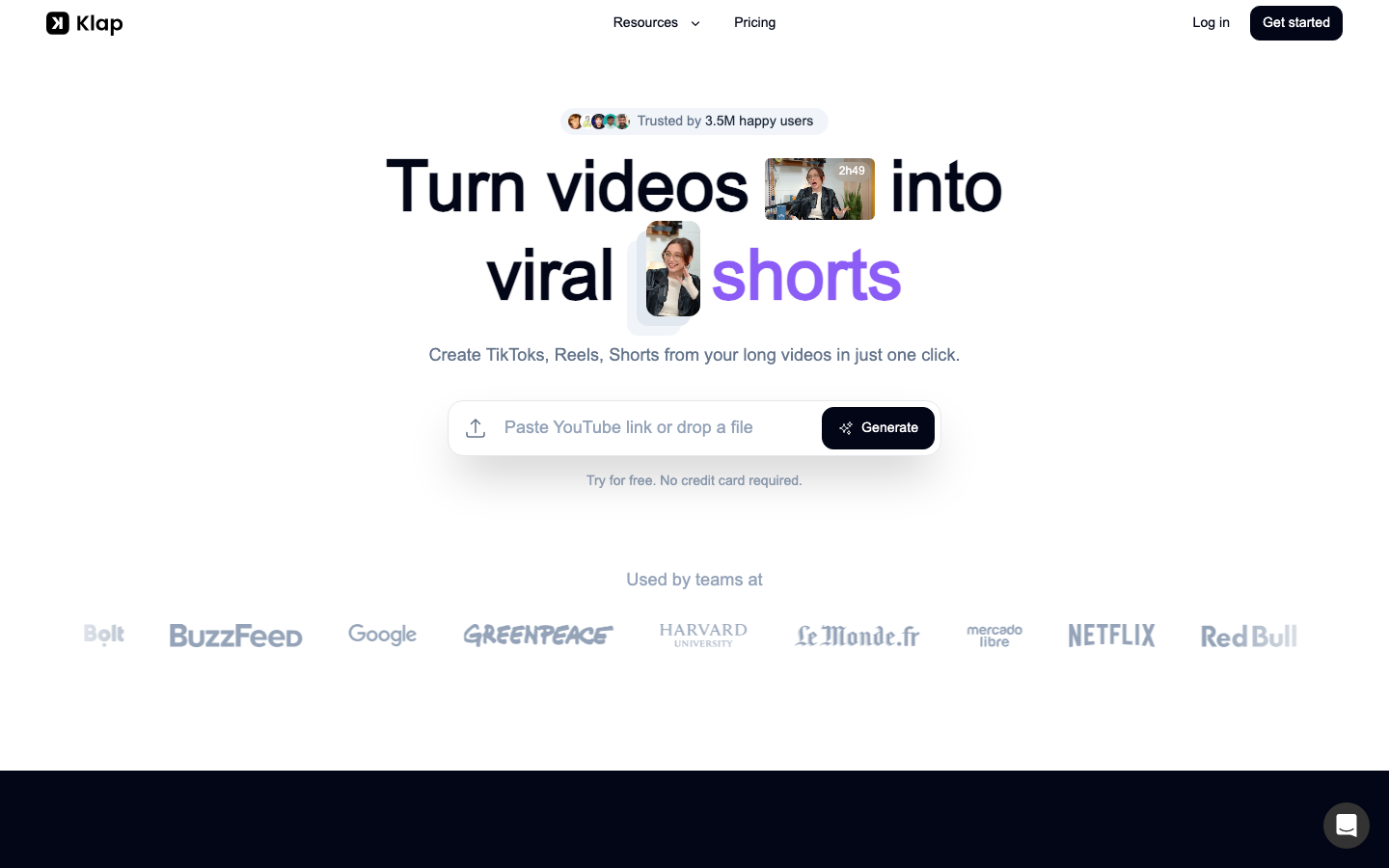
Klap is an AI short video cutting tool for creators and marketing teams. It supports automatic extraction of long video clips, intelligent reconstruction of images, subtitle styles and social media publishing process.
Klap
Core parameters and statistics
[A brief comment in one sentence]: The essence of Klap is not a video editor, but a dedicated pipeline for "converting long videos to social media and cutting them into strips".
| Projects | Public Information |
|---|---|
| Official positioning | Turn videos into viral shorts |
| Core Competencies | AI Editing, Auto Reframing, Captions, Publish & Schedule |
| Public scale | 8.5M clips, 3.5M creators |
| Public customer signals | adidas, BBC, Google, Netflix, Spotify, etc. logos |
| Package | 100 clips, 300 clips, 1000 clips |
| Product Form | Web + API Docs |
[Publicity Verification]: It talks about "viral shorts" with a marketing component, but at least it hits a real pain point: podcasts, interviews, courses and live broadcast teams all need to stably produce short video clips, and manual editing is extremely time-consuming.
User and market recognition
Scale signal: 8.5M clips made, 3.5M creators are enough for a vertical video cutting tool to prove that the product has passed the verification.
Brand Signal: The official display of BBC, Google, Netflix, Spotify, Harvard, Stanford and other logos shows that its usage scenarios are not limited to individual bloggers.
User evaluation direction: Typical feedback from the official display focuses on "saving time", "directly transferring to social media to post materials" and "more stable quality than similar platforms", which is consistent with the actual positioning of the product.
Cost advantage
[The truth about free]: The official website states that it can be tried for free and no credit card is required, but the truly sustainable production capacity still depends on the monthly clips quota.
C client/individual: The annual payment is US$14/month, which provides 100 clips; the annual payment of US$39/month, which provides 300 clips; the annual payment of US$94/month, which provides 1000 clips.
Developer/API: Officially public API Docs, but the public page does not stably display the independent API billing rules. The details are subject to the real-time page.
Enterprise/Team: The official website provides Need more and entrance, which is more like communication based on scale rather than a standard enterprise price list.
[Hidden benefits/costs]: If the team has to cut multiple shorts from a one-hour podcast every week, Klap’s time benefits will be very direct; but if the material itself has poor lens language and low information density, no matter how strong the cutting is, it will not save the source of the content.
Main functions
- Automatic Slicing: Extract clips from long videos that are more suitable for short video dissemination.
- Auto Reframing: Automatically reconstruct the picture to adapt to vertical screen and different social media layouts.
- AI subtitles and recommended copywriting: directly complete the basic materials of the publishing layer.
- Brand Customization: Supports brand elements such as fonts, color logos, and compositions.
- Posting & Scheduling: Send directly to TikTok, YouTube, Instagram, LinkedIn.
[Expert Viewpoint]: The hidden linkage is that "discover clips -> change frame -> make subtitles -> generate copy -> release schedule" are compressed into one process. Most similar tools can do the first two steps, but many teams are really stuck in the last two steps.
Model and version evolution
Core cutting stage: First solve the basic needs of converting long videos such as YouTube to short videos.
Release Scheduling Stage: The product begins to take on social media distribution responsibilities, no longer just exporting files.
AI Reframe 2 Phase: The current main line puts more emphasis on automatically selecting Split Screen, Screencasts, Gaming and other layouts according to the scene, indicating that the product is moving from "slicing" to "reconstruction that understands platform syntax".
Technical advantages
Mechanism -> Effect -> Scene: Quickly convert spreadable segments in long videos into vertical format through theme extraction, automatic subject tracking and subtitle generation. The effect is to reduce the cost of manually finding highlight segments and recomposing the shot. Best for podcasts, interviews, training, and branded content reuse.
Multi-platform orientation: It is not a pan-video editor, so it sacrifices complex timeline capabilities in exchange for high matching with TikTok, Reels, and Shorts.
High degree of automation: For daily content teams, it is more suitable for high-throughput scenarios than manual Premiere/CapCut.
[Compliance and Risk]: AI automatic cropping can easily cut off the context. When it comes to interviews, education or brand statement content, wrong excerpts will bring the risk of misunderstanding.
How to use
Step 1: Post a YouTube link or upload a video file.
Step 2: Wait for the system to extract multiple clips suitable for short video dissemination.
Step 3: Check the automatically reconstructed images, subtitles and recommended copy, and fine-tune them according to brand requirements.
Step 4: Export high-resolution materials or directly schedule and publish them to social media platforms.
[Quantification of cost reduction and efficiency improvement] Deduction: A 1-hour podcast is manually cut into 5 to 10 shorts that can be published. The traditional process usually takes 2 to 4 hours; in Klap scenarios, it can usually be reduced to 20 to 40 minutes, provided that the original video audio and video quality passes the standard. The above is a workflow deduction, not an official commitment.
Product Pricing
Basic plan: $14/month (annual payment), 100 clips.
Pro: $39/month (paid annually), 300 clips.
Pro+/Premium: $94/month (annual payment), 1000 clips.
Larger Scale: Communicate through contact channels.
[Supplementary Procurement Perspective]: The price of Klap is not high on the surface, but the real cost depends on how many short videos the team needs to produce per month that can actually be posted. If the original material utilization is low, the clip quota will be wasted; if the material quality is stable, the marginal cost of a single piece of content will be much lower than traditional manual editing.
Application scenarios
- Dimensionality reduction attack scenario: Secondary distribution of long content such as podcasts, interviews, live broadcast replays, and course recordings.
- Brand Content Team: Split one long content production into a multi-platform short content matrix.
- Social media agent operation: People who need stable and high-frequency strip cutting and take into account subtitles and scheduling.
[Compliance and Risk]: Automatic subtitles, automatic excerpts, and automatic packaging may introduce slight distortion. For high-accuracy content such as finance, medical care, law, education, etc., manual review cannot be skipped when slicing, otherwise the "dissemination efficiency" will in turn amplify errors.
Applicable people
- Creator: Already have long video supply and hope to distribute it on multiple platforms.
- Content Marketing Team: Want to reduce the labor cost of short video editing and publishing.
- Education/Podcasting Team: People who need to consistently extract high-density segments from long content.
[Dissuade/Not Applicable]: Professional film and television teams that pursue fine lens language, complex packaging, and advanced post-production should not use Klap as their main editing tool; teams whose content source is not exciting enough should not expect to rely on the cutting tool to change their fate.
Summary and Outlook
The value of Klap is very focused: turning long videos into short social media videos with high throughput. It does not pursue everything, which is actually an advantage, because the most common problem among creators is not that they don’t know how to cut, but that they don’t have time to cut every day. The risks are equally direct: the more automated the platform is, the more it will be necessary to manually confirm whether the clips are distorted, whether the subtitles are misrecognized, and whether the brand expression is overly entertaining.
[Boundary of human-machine collaboration]: Fragment extraction, automatic reconstruction, first draft of subtitles, and release scheduling can be highly automated; materials involving brand statements, important interviews, intellectual content, and materials that need to be avoided out of context must be reviewed manually. Before purchasing, it is recommended to test the last 10 long videos to verify the average availability rate and rework ratio, and then decide whether to increase the monthly clips level.
For content factory teams, Klap is more of a “throughput optimizer” than an “idea itself.” It cannot replace topic selection judgment, script quality and lens expression, but it can break down long content that already has information density into a granularity more suitable for algorithm distribution. If the team's biggest current bottleneck is the backend queue rather than a lack of ideas, Klap's investment-output ratio will usually be easier to verify than hiring another full-time editor.
Related tools: runway, pika
Comparison of competing products
| Comparison dimension | Klap | Competitor A | Competitor B |
|---|---|---|---|
| Core Differences | — | — | — |
| Price | — | — | — |
| Target Users | — | — | — |
Note: The above comparison is based on product public information, and actual differences are based on user experience.
Version Info
- AI Reframe 2 :The homepage of the official website currently promotes AI Reframe 2, which is used to automatically match screen layout and lens reconstruction for different platforms. There is no official precise release date yet.
- Viral Shorts Workflow :The official website has long been building products around the core process of converting YouTube long videos to Reels, TikToks, and Shorts, and there is no official precise date yet.
- Publish & Schedule Suite :The current official website lists publishing and scheduling as standard capabilities, marking the expansion of the product from a pure editing tool to a content distribution tool. There is no official precise date yet.
User Reviews