 LiveAgent
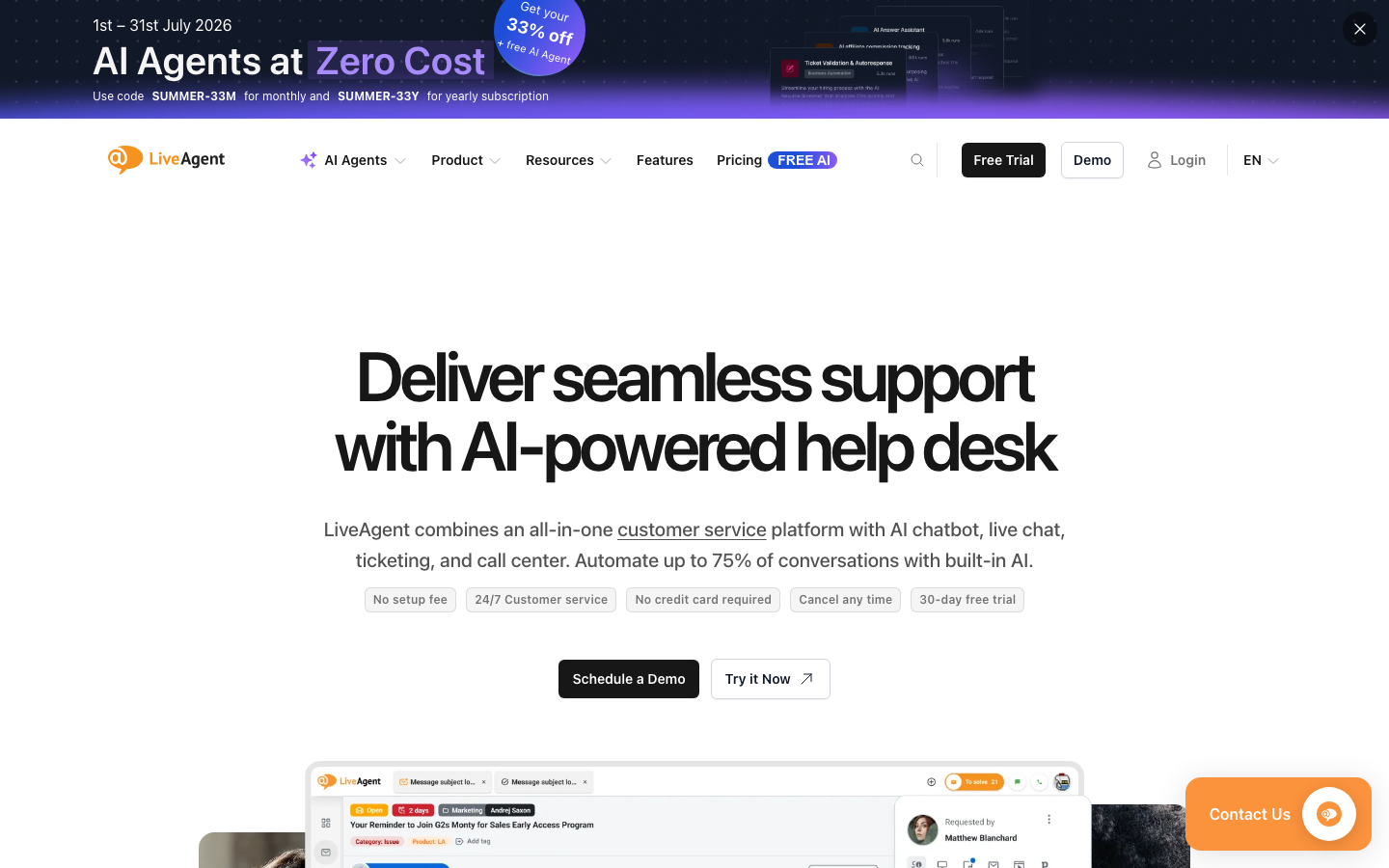
LiveAgent is an all-in-one customer service ticket management platform that integrates email, live chat, phone, social media and knowledge base, with built-in AI automatic reply, automatic ticket assignment and customer satisfaction tracking. Supports 40+ languages, covering customer service needs from start-ups to enterprises.
LiveAgent
Core parameters and statistics
LiveAgent is one of the most comprehensive customer service ticket platforms on the market. Its core parameters cover channel support, automation capabilities and performance indicators:
| Parameter dimensions | Description |
|---|---|
| Support Channels | Email, Live Chat, Phone (IVR), Social Media (FB/Twitter/IG), WhatsApp, SMS, Knowledge Base |
| Work order management | Unified inbox, automatically assigned SLA tracking, work order merge/split |
| AI functions | AI automatic reply suggestions, sentiment analysis, automatic labeling, work order predictive routing AI Copilot |
| Number of integrations | 200+ third-party integrations (including Salesforce, Shopify, WooCommerce, etc.) |
| Supported languages | 40+ languages (including English, Chinese, Japanese, Arabic, etc.) |
| Customer scale | 150,000+ corporate customers worldwide |
| Availability | 99.9% SLA Guaranteed (Enterprise Edition) |
| Deployment method | Cloud SaaS + private cloud (enterprise version can be negotiated) |
| Security Certification | GDPR Compliance SOC 2 Type II, ISO 27001 |
Efficiency Improvement: LiveAgent's AI automatic reply function can shorten the first response time for common questions (password reset, order status, return and exchange process) from minutes to real-time automatic replies, freeing customer service agents from repetitive questions and answers to focus on complex problem processing.
User and market recognition
LiveAgent is positioned as "comprehensive coverage and outstanding cost performance" in the help desk software market, competing with Zendesk, Freshdesk, and Intercom:
- Enterprise Customers: More than 150,000 customers worldwide, distributed in various industries, especially in the small and medium-sized enterprise market (50-500 people) with high penetration rate. Typical customers include e-commerce SaaS, professional services, and educational institutions.
- Industry Evaluation: It has a high overall score on G2 and Capterra, and users particularly recognize its "rich features" and "cost-effectiveness". Regularly ranked in the Top 5 in G2's Multichannel Communication category. The main shortcomings are: UI modernization and less flexibility in customizing reports than Zendesk.
- Market positioning: With "full-featured integration" as the core selling point - it can cover all customer service scenarios (chat + email + phone + work order + knowledge base) without the need for additional plug-ins or third-party tools. This positioning is especially suitable for small and medium-sized teams that want to reduce tool stacking and unified management.
Cost advantage
LiveAgent's pricing strategy is "most functions, medium to low price" among similar products:
- Free version: Provides a lifetime free version (limited functions), including a limited number of work orders, basic customer service functions and 1 customer service agent. Suitable for solo entrepreneurs to test and learn. Limitations include: no AI functionality, no phone support, brand watermark, data storage cap.
- Ticket version: About $15/person/month (annual payment), basic work order management + email support. Ideal for small teams that don’t need real-time chat.
- Ticket + Chat version: About $30/person/month (annual payment), adds real-time chat, callback, and visitor tracking. Suitable for small and medium-sized e-commerce and service teams.
- All-Inclusive Edition: About $50/person/month (paid annually), complete feature set, including phone IVR, AI Copilot, social media channels, advanced reporting, knowledge base. Suitable for medium and large teams that require omni-channel coverage.
- Enterprise Edition: On-demand quotation, including private cloud deployment, customized SLA, and exclusive integrated development. Ideal for large enterprises and industries with strict compliance requirements.
- Comparison with competing products: Zendesk Suite with the same functional level is about $55/person/month, and Freshdesk is about $35/person/month. The full-featured version of LiveAgent is priced about 50% lower than Zendesk, but the AI Copilot function is still a newly launched feature, and its maturity needs to be verified in practice.
Main functions
- Unified Inbox (Multi-channel Inbox): Customer messages from all channels (email, chat, phone, social media WhatsApp) are displayed in one interface, and agents do not need to switch tools. Applicable value: Solve the typical efficiency loss of "customer service switching back and forth between 5 tabs".
- AI Copilot reply assistance: Based on historical work orders and knowledge base content, AI suggests reply content in real time as the agent inputs. Agents can choose to accept, edit, or ignore. Applicable value: Accelerates customer service response speed, and new customer service staff can produce reply content close to veteran quality during the training period.
- Automated work order allocation and routing: Automatically allocate work orders to the most appropriate customer service agent based on skills, load, customer level (VIP/normal), language and other conditions. Applicable value: Reduce the delay in manual dispatch and ensure that customers will not be randomly assigned to customer service staff who are not good at it.
- Knowledge Base and Self-Service: Built-in knowledge base building tools, supporting article level, search optimization and SEO disclosure. Customers can first search the knowledge base to solve problems themselves. Applicable value: Reduce ticket volume by approximately 20-30% (depending on completeness and discoverability of knowledge base content).
- Customer Satisfaction & SLA Tracking: Automatically send a CSAT survey after each ticket is resolved, combined with SLA response time and resolution time reports. Applicable value: Quantify the performance of the customer service team and provide early warning of work orders that are about to time out.
- IVR Call Center: Built-in interactive voice response system, supporting automatic traffic distribution, recording, and callback. Applicable value: No independent call center software is required to run telephone customer service support.
[Hidden linkage]: Knowledge base + AI Copilot + automatically assigned triangles - after customers ask questions, the knowledge base self-service prioritizes interception of frequently asked questions → automatically assigns them to the most matching customer service when unresolved → customer service quickly generates professional responses based on AI Copilot’s suggestions. After each successful solution, AI automatically learns and optimizes the quality of suggestions for the next time.
Model and version evolution
- AI Launch (4.0, ~2023.09): Introducing AI functionality for the first time, including automatic ticket classification and reply suggestions. The bottom layer uses a pre-trained classification model to label work orders according to "problem type" to assist routing.
- Automation Suite (4.50, ~2024.11): The work order automation engine is online and supports conditional triggering rules. AI extends from "recommendation" to "automatic execution", such as automatically increasing the priority of VIP customer tickets.
- Multi-channel Hub (4.70, ~2025.08): Channel extensions (WhatsApp Business API, Apple Messages for Business), all new channels managed in a unified inbox.
- AI Edition (4.85, ~2026.05): AI Copilot, sentiment analysis, predictive routing - upgraded from "assisted customer service" to "active optimization workflow". This release aligns LiveAgent’s AI capabilities to the competitive level of Zendesk AI and Intercom Fin.
Technical advantages
- Multi-level routing engine: LiveAgent's routing rules support multi-level condition combinations (Priority > Skills > Current Load > Customer Language), and can be configured by dragging and dropping in the UI. Causal chain: Multi-level routing → Each work order is assigned to the most "idle and matching" agent → Reduce waiting time and improve first response compliance rate.
- Mail-work order two-way synchronization: LiveAgent's email pipeline is two-way - the customer's reply email is automatically associated with the original work order, and the agent's reply in the system is also sent in the name of the customer. Effect: All the customer sees is "I am communicating with a company's customer service via email" without knowing that there is a work order system working in the background.
- AI knowledge base-based reply generation: Unlike pure general-purpose large models, LiveAgent's AI Copilot prioritizes retrieving relevant entries from the enterprise's own knowledge base as the basis for replies. Effect: The reply does not deviate from the company's established policies, reducing the risk of "AI fabricating non-existent company policies".
How to use
- Web client: You can use it by visiting the official website and registering an account. Most functions do not require installation.
- API Access: Provides RESTful API, developers can obtain the API Key and integrate it into their own applications.
Product Pricing
- FREE VERSION: Free forever, 1 agent, limited features (with brand watermark, no AI, no phone calls). Suitable for single person test learning.
- Ticket version: $15/person/month (paid annually), work order management + email + knowledge base.
- Ticket + Chat version: $30/person/month (annual payment), adds real-time chat + visitor tracking + call back.
- All-Inclusive Edition: $50/person/month (annual payment), full functionality including AI Copilot, phone IVR, social media, and advanced reports.
- Enterprise Edition: On-demand pricing, including private cloud and customized SLA.
Key Tip: Annual payments save about 20% on average compared to monthly payments. The free version can be used for unlimited trial use, but cannot be used for formal team operations (a single agent is not enough to cover omni-channel customer service). The AI Copilot feature is only available in All-Inclusive and above versions. The official real-time quotation shall prevail.
Application scenarios
- Small and medium-sized e-commerce customer service operations: Use a unified inbox to manage customer inquiries from website chats, emails on WhatsApp and Facebook, and AI automatically responds to frequently asked questions (such as "delivery time" and "return and exchange process"). Actual benefits: In an e-commerce scenario with a customer service team of 5-10 people, AI Copilot increases the daily volume of work orders processed by each customer service representative by approximately 40-60% (the deduced value varies depending on the category and the complexity of customer issues).
- Technical Support for SaaS Companies: Developer teams use knowledge base self-service to reduce L1 tickets, and L2 tickets are routed to corresponding engineers by skill group through automatic assignment. Actual benefits: The interception rate of L1 work orders increased to 25-35%, and the time engineers spent on repeated questions and answers was significantly reduced.
- Multi-lingual customer service for multinational enterprises: 40+ language support + multi-lingual knowledge base enables the same system to cover the customer service needs of global customers, and each language team collaborates in a unified interface. Actual benefits: There is no need to deploy separate customer service systems for each language region, and operation and maintenance costs are reduced.
- Unsuitable Scenarios: (1) Scenarios that require deep AI conversational robots - LiveAgent's AI focuses on assisting customer service rather than fully automatic chatbots. If you need 7x24-hour unattended intelligent customer service, it is recommended to evaluate an independent Chatbot solution; (2) Micro-business with very few work orders (<50 per week) - the free version is sufficient, but the incremental value of the paid version is not obvious.
Applicable people
- Customer Service Team Supervisor/Manager: core decision-maker and user - monitor team performance, work order volume trends and SLA compliance rate through a unified dashboard. Prerequisite: A customer service team of at least 2-3 people is required to realize the value of full functionality.
- Frontline Customer Service Agents: Benefit directly from AI Copilot, automatic assignment and unified inbox, reducing the burden of tool switching and repetitive typing. Prerequisite: Basic system operation training is required (about 1-2 days to get started).
- Owner-operator for small and micro enterprises: The free version can meet the basic needs (unified email, chat and work order management). Not suitable for borders: The free version cannot remove the LiveAgent brand watermark, which may affect the communication experience with customers.
- Not suitable for people: (1) Enterprises that only need a pure telephone call center - LiveAgent's IVR function is incidental rather than core. For in-depth telephone scenarios, it is recommended to use professional solutions such as Genesys or Twilio Flex; (2) Enterprises that have deeply used Zendesk and invested a lot of customized resources - the migration cost is high and should be carefully evaluated.
Summary and Outlook
LiveAgent has established a unique position in the help desk market with "the most comprehensive feature coverage + the most cost-effective pricing". Its core competitiveness lies in: One platform covers chat/email/telephone/social media/knowledge base, and small and medium-sized teams can complete the entire customer service process without piecing together multiple SaaS tools. After the introduction of AI Copilot in the latest AI Edition (4.85), AI capabilities are basically aligned with the top level in the industry, but it needs to be acknowledged that: (1) the maturity of AI functions (sentiment analysis accuracy, recommendation relevance) still lags behind Zendesk Answer Bot, which varies depending on the usage scenario; (2) the interface design is relatively traditional, which may cause aesthetic fatigue in long-term use; (3) reporting flexibility is low in highly customized scenarios.
Procurement/Adoption Risk Assessment: It is recommended to start with the free version or the Ticket version, and evaluate within 2-4 weeks (1) whether the accuracy of AI Copilot's response suggestions reaches the team acceptance line; (2) whether the channel integration covers all customer touch points of the company; (3) whether the self-service interception rate of the knowledge base reaches the expected value (15%+). Before signing an annual contract, it is recommended to conduct an actual migration drill with the customer service team, paying special attention to the compatibility of email domain configuration and historical work order import. For teams that are already using Zendesk or Freshdesk, it is recommended to make a list of features that must be retained and compare them one by one to avoid downgrading and then discovering that key features are missing.
Expert View: LiveAgent’s appeal to small and medium-sized teams is its “one-stop shop”, but its shortcomings for large enterprises are also there—the depth of each module cannot compete with vertically specialized products. Before purchasing, you need to clarify which knot is the most painful at the moment.
Related tools:
How to use LiveAgent
- Web application (app.liveagent.com): Main management interface, configure channels, manage work orders, and view reports.
- Desktop Client (Windows/Mac): Native desktop application, agents do not need to open browser tabs all the time, and support message notifications.
- Mobile App (iOS/Android): Handle emergency work orders in the field, support push notifications and quick replies.
- Browser Plug-in: Gmail and Outlook plug-in, convert emails directly into work orders.
Typical steps to get started: (1) Register an account and choose the free or paid version; (2) Configure the email channel (bind the customer service email address and automatically import the email as a work order); (3) Add the real-time chat code to the website (generate JS code embedding in the settings); (4) Invite team members and set assignment rules; (5) Optional: Build a knowledge base article and configure AI Copilot to reply to suggestions.
Version Info
- LiveAgent AI Edition :Introducing AI Copilot-assisted customer service responses, advanced sentiment analysis and automatic labeling, and predictive routing of work orders.
- LiveAgent Multi-channel Hub :Integrate WhatsApp Business API and Apple Messages for Business channels to expand omnichannel coverage.
- LiveAgent Automation Suite :Launched a work order automation engine to support condition triggering (such as "VIP customers automatically assigned priority queue") and batch operations.
- LiveAgent AI Launch :The AI function is launched for the first time, and AI automatic reply suggestions and work order classification functions are launched, marking LiveAgent entering the AI enhancement stage.
User Reviews